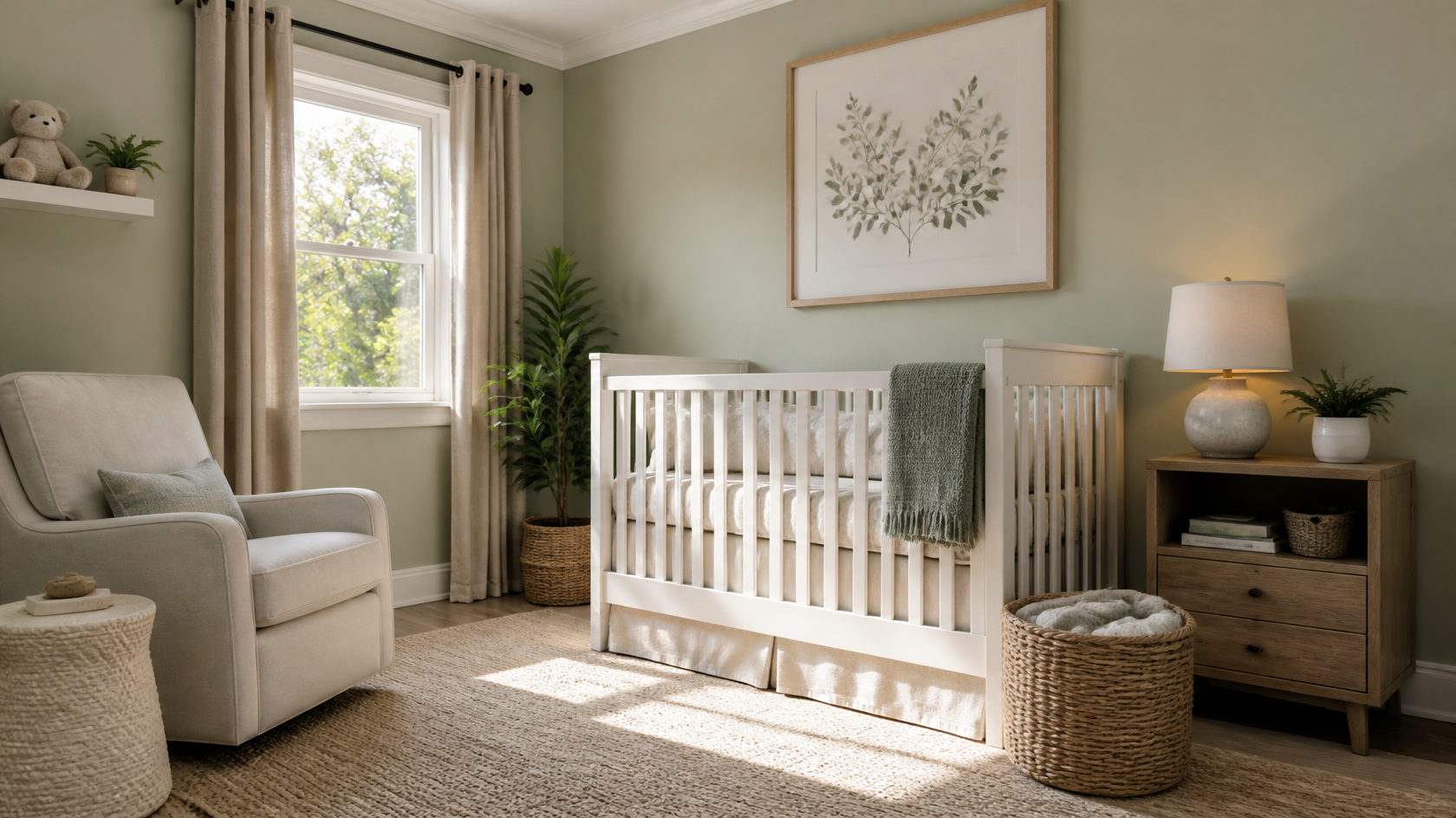
Most parents spend between $1,500 and $5,000 setting up a full nursery from scratch, with the median falling around $2,500. The range varies based on whether you go new or secondhand, whether you build out furniture piece by piece or buy a matched set, and how much you spend on textiles and decor. Here's a realistic 2026 breakdown.
| Item | Budget | Mid-Range | Premium |
|---|
| Crib (CPSC-certified) | $150–$250 | $300–$500 | $600–$1,200 |
| Crib mattress | $80–$150 | $150–$250 | $300–$500 |
| Dresser / changing combo | $200–$400 | $450–$700 | $800–$1,500 |
| Glider or rocking chair | $150–$300 | $350–$600 | $700–$1,500 |
| Rug | $50–$150 | $200–$400 | $500–$1,200 |
| Lighting (lamp + dimmer) | $40–$80 | $100–$200 | $250–$500 |
| Window treatments | $50–$120 | $150–$300 | $400–$800 |
| Decor & wall art | $80–$200 | $250–$500 | $600–$1,500 |
| Total | $800–$1,650 | $1,950–$3,450 | $3,650–$8,700 |
Spend on: Crib, mattress, and any furniture that anchors to a wall. These are the safety-critical pieces. A budget crib is fine as long as it's CPSC- and ideally JPMA-certified. A cheap mattress is a no — go for a GREENGUARD Gold certified one. A wobbly dresser is dangerous regardless of price, so buy real wood (or quality plywood) construction.
Save on: Decor, textiles, and lighting. A $30 thrifted lamp with a new shade looks identical to a $200 boutique version. Crib sheets from Target are functionally the same as crib sheets from a luxury brand. Wall art can be framed prints from Etsy for $15 to $40 each. The "expensive" look in nurseries comes from coherent palettes, not from expensive items.
Skip entirely: Changing tables (use a changing pad on top of a sturdy dresser — saves $200–$400 and you keep the dresser for the next decade), crib bumpers (banned for safety reasons since 2022), shoes for newborns, and themed "matching" bedroom sets (locks you into one look the kid will outgrow).
The under-discussed cost of nursery design is the cost of returning the wrong things. The average new parent returns 15–25% of nursery purchases, often after assembly, often after the return window closes. A few hours with AI visualization tools like GenRoom can prevent the $400 crib that's too big for the room or the $200 rug whose color clashes with the wood floor — the kind of mistake that costs more than the AI subscription many times over.
After analyzing how parents use AI design tools across thousands of generations, five mistakes come up over and over. AI catches all of them before you spend money.
1. The dresser-blocking-the-closet mistake. The dresser fits in the room, but it's right in front of the closet door. AI renders the layout to scale and reveals this instantly.
2. The wrong-wall accent. A sage green wall looks beautiful in the photo of someone else's nursery — until you put it on your wall, which is the wall the morning light hits. The color goes neon. AI visualization on your actual room photo prevents this by showing how the color reads under your light.
3. The matchy-matchy crib set. Buying the "Forest Friends 4-piece Nursery Collection" feels safe. It also locks the room into a theme the kid will reject by age 3. AI lets you see what the same room looks like with three different aesthetics, so you can pick one that ages with the child.
4. The "more is more" trap. First-time parents over-furnish. The Pinterest photos look full, so the real room must be full. AI shows you what the same room looks like with a normal amount of stuff versus a Pinterest amount — the normal version almost always wins.
5. The teen-bedroom regret. Parents design a "cute" room for an 8-year-old and three years later, the child hates every inch of it. Co-designing with the kid using AI — letting them pick from rendered styles — gets buy-in early and avoids the "I want everything new" battle at age 14.
GenRoom is built on a Pro generation model that preserves room architecture — windows, doors, ceiling height — while regenerating furniture, paint, textiles, and decor. The styles relevant to nurseries and kids' rooms include Scandinavian, Modern, Boho, Japandi, Coastal, Minimalist, Farmhouse, and a number of style-specific palettes. The Pro plan adds 4K upscaling, useful when you want to share a render with a partner or print it as a reference for contractors.
The flow looks like this:
- Photograph the room. Stand in a corner and capture as much of the room as fits in the frame. Use natural light, no flash.
- Upload to GenRoom. Drag the image into the generate page.
- Select a style. Pick from the available presets (Scandinavian, Modern Boho, Minimal, etc.) or describe the look in plain English.
- Compare. Run two or three styles on the same room and compare them in your gallery.
- Refine. Run a second pass on the version you like, swapping one element — change crib color, swap the rug, try a different paint shade.
For nursery work specifically, two GenRoom features matter most: the AI Editor (available on Basic and Pro plans), which lets you swap individual elements like the crib or wall color without re-rendering the whole room, and the room-type selector that biases the AI toward bedroom-appropriate furnishings rather than living-room layouts. Both prevent the "AI gave me a sofa instead of a crib" problem that plagues general-purpose image generators.
AI generates the visual. Safety is on the parent. A render can show you a beautiful sage-green nursery with a low floor bed, but it's still your responsibility to verify the actual furniture you buy meets CPSC standards, that it gets properly anchored, and that the room is childproofed. The value AI adds is in style and layout decisions before purchase — not in safety certification.
For the child's first room, design it before the baby arrives — typically around the second trimester when energy is high and the nesting instinct kicks in. For redesigns, age 3–4 is a natural transition out of the nursery phase (toddler bed, real dresser, less crib-centered layout), and age 8–10 is the next major transition (real bed, real desk, personality era). Avoid full redesigns between these milestones — small refreshes work better.
The AI design itself is inexpensive — GenRoom's plans start at $9.99 for 36 credits (roughly 18 generations), with the popular Basic plan at $19.99 for 100 credits, and Pro at $39.99 for 300 credits. The free trial includes complimentary credits to test the tool before paying. The actual nursery furniture and decor budget is separate, typically $1,500–$5,000 depending on choices.
Yes. The trick is to upload a photo of the room as it currently is (or empty), then prompt for a "shared kids' bedroom with bunk beds" or "two single beds with shared rug and desks." Most AI tools handle this well as long as the prompt is specific about the number of beds. For siblings of different ages or genders, render two or three layout options before committing — the right answer depends on the room's geometry, not a generic formula.
It's the most-searched and most-recommended by designers, mainly because it's the rare nursery color that feels grown-up, gender-neutral, and timeless. But "best" depends on the room. Sage works beautifully in rooms with warm natural light and warm wood floors; in rooms with cool north-facing light or gray-toned floors, it can read cold. Mushroom taupe, warm cream, and soft clay are excellent alternatives if sage doesn't suit your space.
A nursery is for ages 0–2 and centers on safe sleep, feeding, and changing — the crib is the architectural focus. A kids' room is for ages 3+ and centers on play, storage, and (eventually) homework — the bed and storage solutions become the focus. Most parents redesign the same room two to three times across the child's first decade, and AI tools make those transitions much easier to plan.
Roughly 30 to 60 seconds per generation on a Pro model. The first render takes the longest because the model is analyzing the room geometry; subsequent renders on the same room are typically faster. You can run multiple styles in parallel and compare them side by side.
Not necessarily — most AI tools can handle a furnished room and regenerate the interior in a new style. That said, a clean, well-lit photo of an emptier room produces better renders than a cluttered shot. If the room has a lot of personal items, throw a sheet over the bed and remove anything that obviously isn't furniture before shooting.
A nursery is the rare design project where getting it right matters and getting it wrong is expensive. AI tools cut the risk dramatically — you can test ten styles in an afternoon, see your actual room in each one, and arrive at the buying decisions with confidence instead of guesswork. Combine that with the CPSC safety checklist above and a realistic budget, and you have a roadmap that takes a nursery from blank room to ready-for-baby without the typical $400–$800 in returned mistakes.
The styles in this guide cover the full range from newborn to teen, and most of them age well past their first stage with small refreshes. Whether you're building a sage green sanctuary for a newborn or co-designing a shared sibling room with a 9-year-old who has strong opinions, the right tool turns the hardest part — visualization — into the easiest. Start with GenRoom, upload your room, and run three styles before you do anything else.
Sources: U.S. Consumer Product Safety Commission (Safe Sleep guidelines, crib safety standards); ASTM F2933-25 crib mattress safety standard (effective May 3, 2026); industry pricing data from current 2026 nursery retailers; GenRoom user generation analytics.