| Room | First pick | Budget alt | Avoid |
|---|
| Living room | Engineered or solid hardwood, wide plank, matte | 20-mil SPC LVP | Tile (cold, hard) |
| Kitchen | Wood-look porcelain tile or 20-mil LVP | Ceramic tile | Solid hardwood (water risk) |
| Primary bedroom | Solid or engineered hardwood | 20-mil LVP | Tile (cold barefoot) |
| Kids' rooms | Engineered hardwood or LVP | Carpet | Solid hardwood (dents from toys) |
| Primary bath | Porcelain tile + radiant heat | 22-mil LVP | Hardwood, carpet |
| Family bath | 20-mil SPC LVP | Porcelain tile | Hardwood, carpet |
| Mudroom/entry | Porcelain tile | 22-mil SPC LVP | Hardwood (snow/salt) |
| Basement | 20-mil SPC LVP or engineered hardwood | Polished concrete | Solid hardwood, carpet |
| Home office | Hardwood or LVP | Carpet tile | Tile (cold, hard, loud) |
| Laundry | Porcelain tile | 22-mil LVP | Hardwood, carpet |
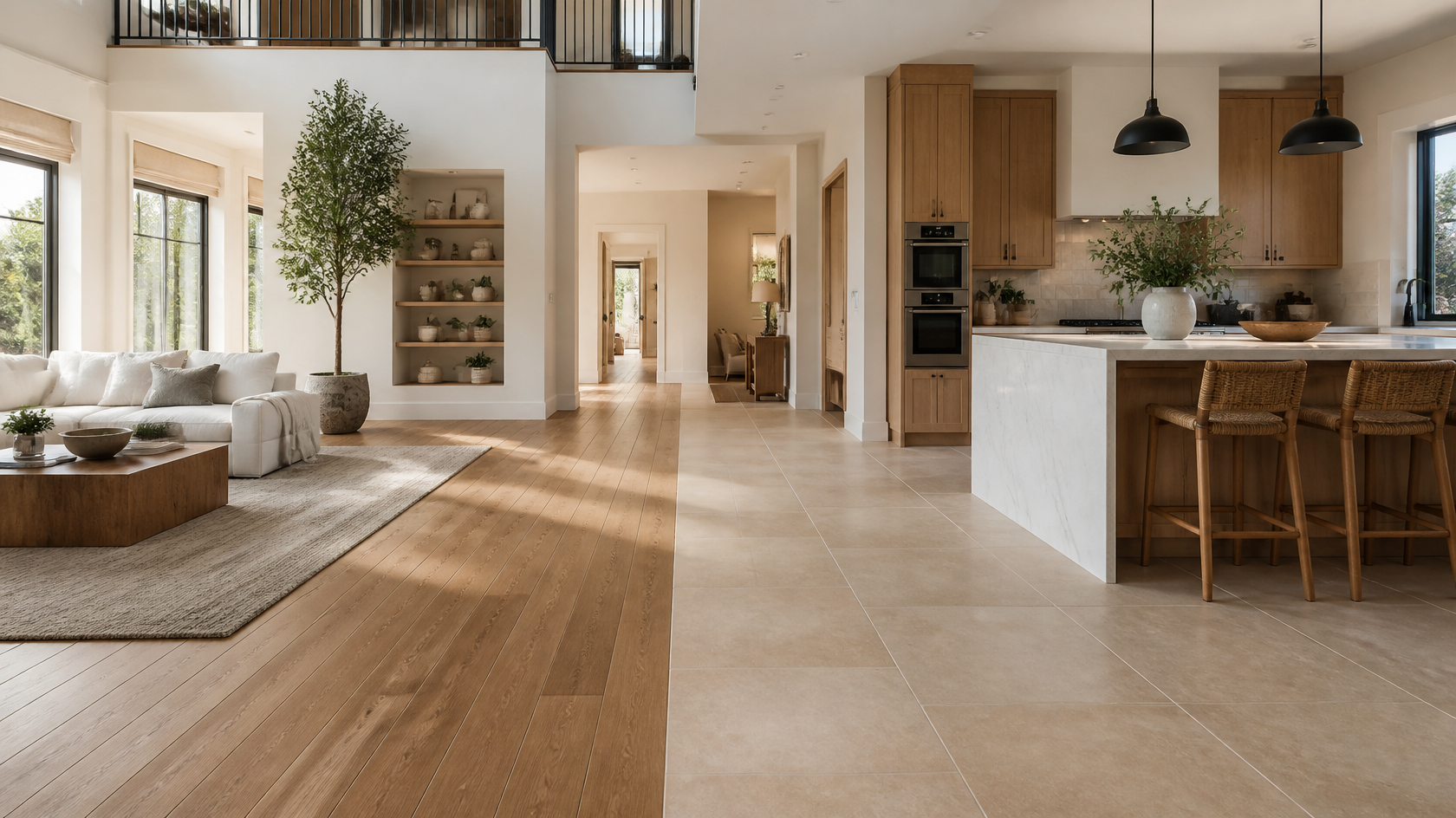
A whole-house flooring plan often uses two materials: one wood/wood-look for dry rooms, one tile for wet rooms. The transition (often at the kitchen edge) is the place to obsess over visual continuity — and the single best moment to use an AI visualizer to preview the junction.
The mechanics differ by tool, but the principles are identical. Here is the workflow that produces useful results:
- Daytime, lights off. Mixed lighting (window + tungsten) confuses AI on color. Pure daylight is cleanest.
- Eye-level, full floor visible. Phone at about 5 feet, pointed level. Capture as much of the floor as you can.
- Tidy the floor. Rugs and clutter make AI guess. Pull the rug, push back the coffee table, and shoot.
- One photo per room. Premium tools (including GenRoom Pro) accept multiple reference photos — use the best one as primary.
In GenRoom: head to /generate, drop the photo, and choose either a curated style or describe the floor you want in the prompt: "white oak hardwood, wide planks, matte finish" or "large-format wood-look porcelain in herringbone pattern, light oak tone." Specificity wins.
Run the same room with hardwood, then tile, then LVP. Inside each category, run different colors (light, medium, dark) and finishes. This is where AI changes the game — the marginal cost of trying another option is seconds, not weeks. Aim for 8–12 total previews before committing.
Open the variants side by side. Pay attention to:
- How the floor color interacts with your wall paint
- Whether the floor reads as the same temperature (warm/cool) as your furniture
- The pattern at the actual scale of your room (herringbone reads very differently in a 100 sq ft vs 400 sq ft space)
- The mood under your actual lighting
GenRoom's AI Editor lets you type a refinement — "lighter tone," "tighter grain," "match the white in the trim" — without restarting. This is where the AI visualizer earns the "intelligent" part of its name; you converge to a finalist much faster than re-shooting in a 3D planner.
This step is non-negotiable. Once you have 2–3 finalist materials from your AI preview, order real samples — most retailers send them free or $5–$15 each. Tape them to the actual floor, walk on them barefoot, see them under morning and evening light for 48 hours. AI gets you 90% of the way there; the last 10% is haptic.
These reflect verified installed prices from HomeAdvisor 2026, HomeGuide 2026, Lowe's installation programs, and Floor & Decor:
Solid hardwood
- Material: $4–$15/sq ft (oak entry $4–$7; walnut and exotics $9–$15)
- Install (nail-down): $4–$8/sq ft
- Total installed: $8–$23/sq ft, with most homes at $12–$18
Engineered hardwood
- Material: $3–$13/sq ft
- Install (float, glue, or nail): $3–$7/sq ft
- Total installed: $6–$20/sq ft, with most homes at $8–$14
Porcelain tile
- Material: $3–$15/sq ft (basic 12×24 at $3; LFT and wood-look at $5–$10; designer at $15+)
- Install (standard): $7–$14/sq ft; herringbone or LFT: +$3–$8/sq ft
- Total installed: $12–$40/sq ft, with most homes at $15–$25
Luxury Vinyl Plank (20+ mil SPC)
- Material: $2–$6/sq ft
- Install (float-in): $2–$6/sq ft (DIY is realistic for most rooms)
- Total installed: $4–$12/sq ft, with most homes at $6–$9
Add 10% to material orders for waste (15% for herringbone/diagonal patterns). Add $1–$3/sq ft for subfloor prep (leveling compound, vapor barrier, underlayment) — this is the line item most quotes lowball.
- Picking color from a 4-inch sample. A sample never previews how a tone reads across 200 sq ft under your light. AI fixes this directly.
- Ignoring undertones. Cool-toned LVP next to warm trim reads "off" in person but not in catalog photos. AI shows the clash.
- Wrong plank width for room size. 9-inch planks in a 9×11 bedroom feel oversized. AI shows scale before you order.
- Mismatching kitchen/living junction. A tile-to-wood transition needs a deliberate plan. AI lets you preview the transition in real proportion.
- Forgetting radiant heat compatibility. Solid wood and most LVP warranties limit radiant heat — engineered wood and porcelain are the safe picks. Preview the look, then check the warranty.
- Under-spec'ing the wear layer. 6–12 mil LVP in a kitchen will look tired in 5 years. 20+ mil is the floor (pun intended).
- Skipping the physical sample. AI is 90% accurate, not 100%. Always finalize with a real piece on the actual floor under actual light.
GenRoom is designed for whole-room visualization, which matters more for flooring than any other surface because flooring is the most context-dependent material in the house. Features that pay off specifically for flooring decisions:
- 50+ design styles, each of which carries an implied flooring choice (Scandinavian = light oak; Japandi = warm white oak; Modern Farmhouse = wide-plank hickory; Industrial = polished concrete or dark LVP).
- AI Editor for refining floor color, tone, and finish without restarting.
- Pro Model + 4K output for evaluating grain detail and grout — relevant since flooring lives in the high-detail register.
- Multi-photo upload (Premium) — pair a room photo with a flooring reference image to dial in a specific look.
- 30-second generations — practical for running 10–12 variants in one sitting.
Free credits let you test the tool before paying. The Start plan at $9.99 gets you eighteen generations — enough for a first room. The Basic plan adds the AI Editor.
The AI works on your actual photo, so the result is your room — your walls, your furniture, your windows — with new flooring on top. Generic 3D room planners (a different category) ask you to build a model first; AI visualizers like GenRoom skip that step.
Color accuracy on screen is typically within 10–15% of the installed material — close enough to make confident shortlist decisions, not close enough to skip ordering physical samples. Lighting in your home will shift the perceived color further. Always finalize with samples.
It works for both. The visualizer renders the visual surface — grain, color, sheen — not the molecular structure. A matte white oak hardwood preview and a wood-look porcelain preview can look nearly identical in the AI render, which is useful for evaluating the look independent of the material decision.
GenRoom generates a result in about 30 seconds per photo. Practical session: 10 minutes to upload and preview 8–12 flooring variants in one room.
Yes — describe the pattern in the prompt (e.g., "wood-look porcelain in herringbone pattern, light oak tone"). Pattern fidelity is good at standing-view scale; close-up zoom may show some AI artifacts.
It depends on the price tier of the home and the room. In a $1M+ home, hardwood still wins resale in living/dining/bedrooms. In a $300–500k home, 20-mil LVP throughout often improves resale because new buyers value waterproofing and uniformity. AI helps because you can preview both at near-identical visual quality and decide based on cost and durability, not on imagined appearance.
20-mil SPC LVP at $1.99–$3.99/sq ft (material) installed by a competent DIYer for total around $4–$5/sq ft is the cheapest legitimate option. Cheaper laminate or 6-mil vinyl exists but will fail within 5 years in a kitchen.
Yes. Real-estate surveys consistently rank hardwood as the most-requested feature. In 2026, 20-mil LVP is now broadly accepted by appraisers in homes under $500k. Anything below 20-mil, carpet in living rooms, or worn-out floors will reduce offers.
Picking flooring without a visualizer in 2026 is like buying a car without a test drive. You will still get a car — but you will probably regret some choice you would have caught in 10 minutes of previewing.
The decision frame stays simple:
- Hardwood for dry rooms where you want warmth and the longest possible lifespan.
- Porcelain tile (often wood-look) for water-exposed rooms and entryways.
- 20-mil SPC LVP everywhere on a budget, or in basements, or for whole-home uniformity.
Upload a photo of your room to GenRoom, run 8–12 previews across all three materials, and you will land on a flooring choice you actually like — and then order samples to confirm. That is the workflow that consistently produces floors people love five years later.