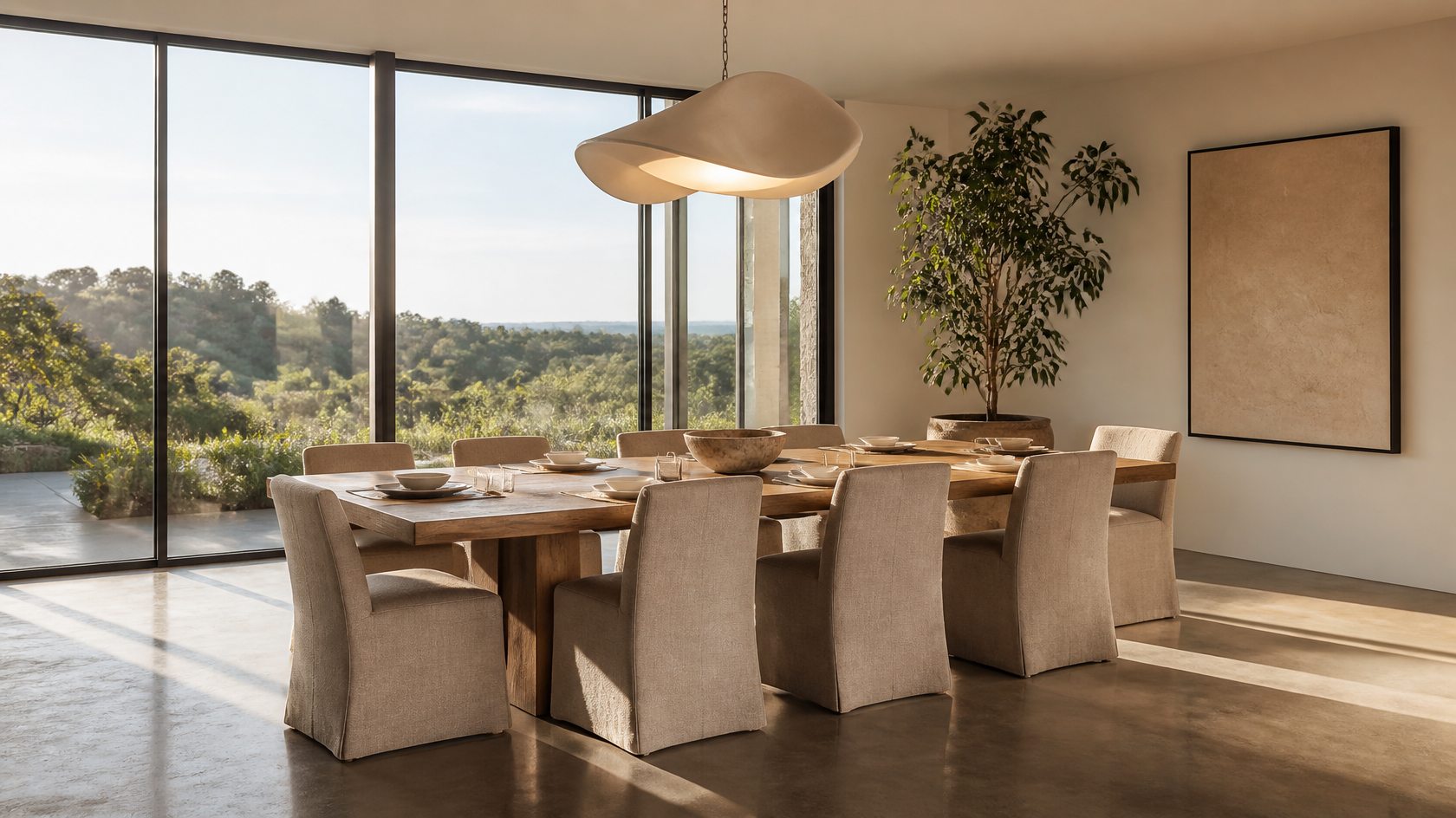
The single biggest predictor of AI-tool success is how well you set up the input. Here is the workflow that consistently produces usable results.
- Shoot in landscape orientation (16:9 is ideal).
- Stand in the doorway or against the far wall to capture as much of the room as possible.
- Use mid-morning or mid-afternoon daylight; avoid harsh direct sun.
- Turn on every light in the room. Even daylight is the goal.
- Avoid clutter on the floor and table — clear the room first.
- Hold your phone at chest height with the lens parallel to the floor (no upward or downward tilt).
Pick two or three styles from this list that contrast — for example Scandinavian, Moody Jewel-Tone, and Industrial. The goal at this stage is to see which direction your room responds to best, not to find the perfect single design.
Generate one image per style at standard resolution. This costs minimal credits and gives you a fast read on what works.
Look at the results side by side. Ask yourself: which one would I actually want to live with for the next 10 years? Which one looks like the room I'm in, just better? That's your direction.
Generate three to five variations of the winning style. Each will be slightly different. Pick the one that nails the table shape, chair count, and lighting position closest to what you want.
If your tool supports it (GenRoom Basic and Pro plans both include this), use the AI Editor to make targeted adjustments — swap the rug, change the wall color, replace the pendant. This is much cheaper than starting over.
Take your final preview and work backwards: identify each piece of furniture, then search for real-world equivalents. The preview is the brief, not the final purchase order.
After reviewing thousands of generated images, four mistakes account for ~80% of "bad" AI dining room previews:
1. Wrong photo angle. Photos taken with the phone tilted up or down distort the room's vertical lines, and the AI either preserves the distortion (ugly) or "fixes" it (unrealistic preview that won't match reality).
2. Vague prompts. "Make my dining room nicer" gives generic results. "Scandinavian dining room, round light-oak table for six, white walls, single black pendant" gives specific, useful results.
3. Ignoring the table shape. If your room is long and narrow, AI tools will often suggest a round table that won't actually fit. Specify the table shape and dimensions you're considering.
4. Single-pass generation. The first image is rarely the best. Generating three to five variations of the same style produces dramatically better results than running one image per style.
Yes. Modern AI interior design tools like GenRoom only need one well-lit photo of your dining room in landscape orientation. The AI segments the photo, preserves walls/floors/windows, and regenerates the furniture, lighting, and finishes in the style you choose. For best results, the photo should be taken with even daylight, the camera lens parallel to the floor, and the room cleared of clutter. Two or three variations of the same style usually beat a single generation.
The AI visualization itself is very cheap — typically $0.20–$1.00 per generation on most tools, or free on entry-level plans. GenRoom starts at $9.99 for 36 credits (18 full generations), and the most popular Basic plan is $19.99 for 100 credits. The cost of executing the design is separate and varies by style: a budget Scandinavian redesign is $1,200–$2,800 in furniture, while a high-end Modern Luxe transformation can exceed $25,000.
Based on volume of generations across major AI interior tools, the top three are Scandinavian (~22% of all dining-room generations), Modern (15%), and Japandi (12%). Mid-Century Modern, Farmhouse, and Industrial each account for 6–9%. The fastest-growing style year-over-year is Moody Jewel-Tone, driven by 2026 trend reports highlighting deep saturated wall colors as the dominant new direction.
Yes — and small dining rooms are often easier for AI because the geometry is more contained. The key is to specify "small dining nook" or "compact dining area" in your prompt and choose styles that work in tight spaces (Scandinavian, banquette, small-space pedestal). For genuinely awkward layouts (long narrow rooms, dining areas inside open-plan kitchens), upload the widest-angle photo you can and run multiple variations — the AI will often surprise you with layouts you wouldn't have considered.
The geometry (walls, windows, ceiling) will match almost exactly if you use a tool with strong structural preservation. The furniture choices won't match perfectly because the AI is showing you a "style direction," not specific real-world products. Use the preview as a brief, then shop for real items that closely resemble what you see. Expect 80–90% of the preview's mood and feel to translate to the finished room.
No. AI dining room tools are explicitly designed for non-designers — most don't even require an account to try a free generation. The harder skill is editing and refining: knowing that a chandelier hung at 30 inches above the table looks better than 42 inches, or that velvet chairs need a hard floor under them to balance the visual weight. Those are taste decisions, not technical ones, and they come from looking at lots of good design — which is exactly what AI tools encourage you to do quickly and cheaply.
Yes. Tools like GenRoom save every generation to your account history, where you can compare them side by side, download them in high resolution, or share a link with a contractor or designer. The Pro plan supports 4K downloads suitable for printing, and the Basic plan and above include private generations that don't appear in the public gallery.
The dining room is uniquely well-suited to AI design tools. It has a clear focal point (the table), a small number of major decisions (table shape, chair style, lighting, paint, art), and limited furniture variables — which means the AI has a relatively easy job, and you get useful previews on the first or second try.
Treat AI not as a final designer but as a free brainstorming partner that produces photorealistic mood boards in 60 seconds. Run three or four styles. Pick the direction that excites you most. Generate variations. Then translate the winning preview into a real-world purchasing list. The whole process — what would have cost $2,000 in design fees and three weeks of going back and forth — collapses into an afternoon and roughly $20 in AI credits.
Start with GenRoom's free tier and try two or three of the styles above on your actual dining room photo. The first generation will surprise you, the third will tempt you, and the fifth will likely become the brief you hand to whoever helps you finish the room.