How to Redesign Your Living Room with AI: Step-by-Step Guide
Transform your living space in under 60 seconds using AI-powered interior design

How does AI living room redesign actually work?
AI living room redesign uses image-to-image generation to transform your existing room photo into a new design. You upload a photo, select a style, and the AI generates a photorealistic result in 30-60 seconds.
No 3D modeling or CAD software required. The AI analyzes your room's layout -- windows, doors, dimensions -- and applies new furniture, colors, and decor while preserving the architecture.
GenRoom processes over 50,000 room redesigns monthly. The technology works with any room size, from studio apartments to open-plan living spaces.
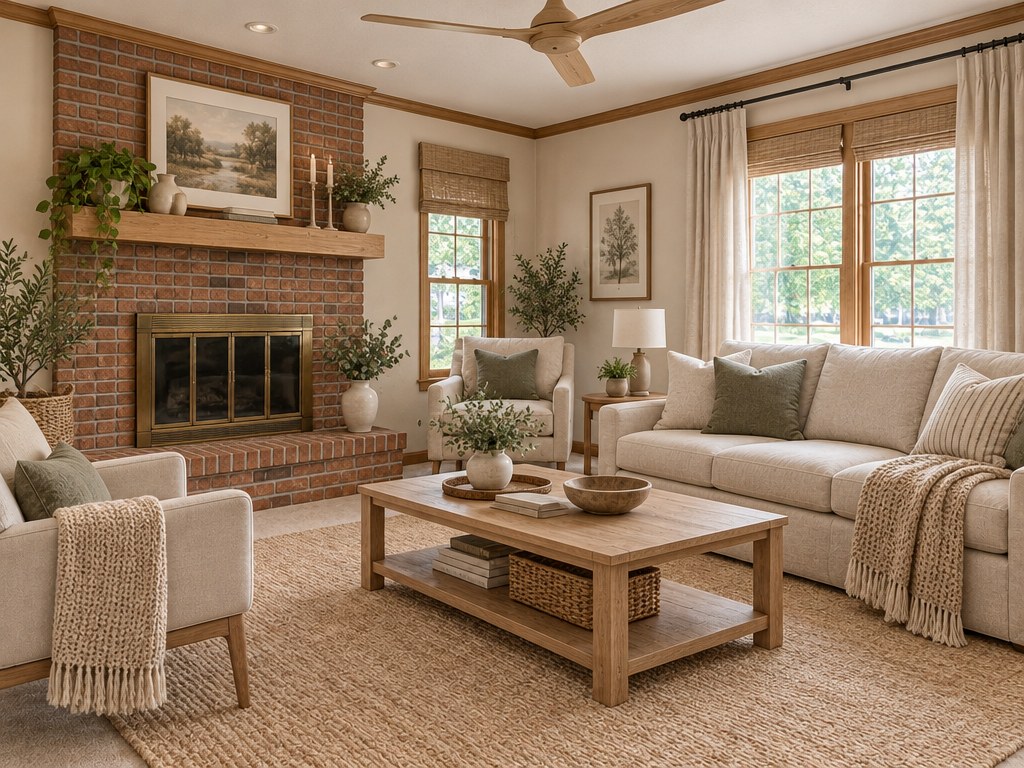
What do you need before starting?
A single photo of your living room. That is it. No measurements, no floor plans, no design experience needed.
Best photo tips for optimal results:
| Tip | Why It Matters |
|---|---|
| Shoot from a corner | Captures 2-3 walls, giving AI maximum context |
| Use landscape orientation | Wider field of view = more accurate redesign |
| Natural daylight | Reduces shadows and color distortion |
| Clear the clutter | AI focuses on structure, not your laundry pile |
| Keep camera at chest height | Avoids perspective distortion |
| Turn on all lights | Helps AI understand ceiling fixtures and lamps |
| Close cabinet doors | Open cabinets distract AI from wall surfaces |
Photos taken with any modern smartphone work perfectly. Resolution above 1024x768 is ideal. Avoid ultra-wide-angle lens modes -- they distort proportions and confuse the AI about actual room dimensions.
Step 1: Take a photo of your living room
Stand in one corner and aim your camera at the opposite corner. This diagonal angle captures the most wall space and gives AI the best understanding of your layout.
Avoid shooting straight at a single wall -- the AI needs depth information to generate realistic furniture placement. Include the floor-to-ceiling range if possible.
Pro tip: Take 2-3 photos from different angles. You can redesign each one separately and compare results. Many users find the corner-to-corner diagonal gives the most dramatic transformations.
If your living room is L-shaped or has alcoves, take separate photos of each section. AI handles rectangular fields of view best.
What about furniture already in the room? Leave it in place. The AI uses existing furniture positions as reference points for understanding room scale. It replaces them with style-appropriate alternatives in the output. Empty rooms actually produce less accurate results because the AI has fewer spatial cues to work with.
Step 2: Upload your photo to GenRoom
Go to GenRoom's Studio and drag your photo into the upload area. The platform accepts JPG, PNG, and WebP formats up to 10MB.
Upload takes 2-3 seconds on a standard connection. Your image is processed securely and never shared with third parties.
There is no room type to fill in. Next, you pick a ready-made mode (such as designer makeover or furnish an empty room) or a style, then click "Create design."
Step 3: Choose your design style
GenRoom offers about 20 interior styles. For living rooms, these are the most popular choices:
| Style | Best For | Key Elements | Avg. Cost to Replicate |
|---|---|---|---|
| Minimalism | Small to mid-size rooms | Clean lines, neutral palette, fewer items | $2,000-5,000 |
| Scandinavian | Dark or north-facing rooms | Light wood, white walls, cozy textiles | $3,000-7,000 |
| Modern | Any size | Sleek furniture, bold accents, open layouts | $4,000-10,000 |
| Japandi | Calm, zen-focused spaces | Japanese minimalism + Scandinavian warmth | $3,000-8,000 |
| Mid-Century Modern | Character homes | Retro furniture, warm tones, organic shapes | $5,000-12,000 |
| Industrial | Lofts and open spaces | Exposed brick, metal, raw textures | $2,500-6,000 |
| Warm Minimalism | Any room | Natural materials, cozy neutrals | $3,000-7,000 |
| Maximalism | Large rooms | Bold patterns, layered decor, rich colors | $5,000-15,000 |
Select one style or try multiple -- each design uses 2 credits. A free account includes 6 credits (about 3 designs).
Not sure which style suits your room? Try 3-4 different styles with your photo and compare outputs side by side. Most users discover a preference they did not expect.
Step 4: Create the design and review your result
Click "Create design" and wait 30-60 seconds. The AI produces a photorealistic image of your living room in the chosen style.
The result preserves your room's dimensions, window placement, and door locations. Furniture, wall colors, flooring, and decor are transformed to match the selected style.
What to look for in your result:
- Furniture scale relative to room size
- Color harmony across walls, floor, and furnishings
- Natural light interaction with new materials
- Overall mood and livability
- Whether the layout feels practical for daily use
If the first result does not match your vision, generate again with the same style. AI produces different variations each time, so the second or third attempt often hits the mark.
Create interior design with AI
Upload a photo of your room and get a professional design in 30 seconds. First generation is free.
Step 5: Refine with words or a brush
Not 100% satisfied? Refine the design with words or a brush to make targeted adjustments. Describe what you want to change -- "make the sofa darker" or "add a bookshelf on the left wall" -- or select an area with the brush and describe the change, and the AI modifies only that element.
Each edit costs 2 credits, the same as a design, and editing is included in every plan, including Free. This lets you iterate until the design feels exactly right.
Common refinement requests that work well:
- "Change the sofa color to navy blue"
- "Replace the coffee table with a round one"
- "Add floor plants near the window"
- "Make the walls a lighter shade"
- "Add a rug under the furniture"
How much does AI living room redesign cost?
GenRoom offers 4 plans — a free account plus three one-time credit packs, no subscription:
| Plan | Price | Credits | Cost Per Design | Best For |
|---|---|---|---|---|
| Free | $0 | 6 | $0 | First-time testing |
| Start | $9.99 | 36 | ≈$0.55 | Single room project |
| Basic | $19.99 | 100 | ≈$0.40 | Full home redesign |
| Pro | $39.99 | 300 | ≈$0.27 | Professionals and agencies |
Compare that to a human interior designer charging $100-300/hour for a single room consultation. AI redesign delivers instant results at a fraction of the cost.
A typical living room redesign project uses 16-24 credits (2 per design or edit): 3-4 style explorations, 2-3 angle variations, and 3-5 refinements. The Basic plan covers a full home redesign with credits to spare.
AI redesign vs. hiring a designer: side-by-side comparison
| Factor | AI Redesign (GenRoom) | Traditional Designer |
|---|---|---|
| Time to first concept | 30-60 seconds | 1-2 weeks |
| Cost per room | $0.27-0.55 | $500-3,000 |
| Number of style options | Unlimited | 2-3 concepts |
| Revisions | Instant, on-demand | Days per revision |
| 3D walkthrough | No | Sometimes |
| Structural advice | No | Yes |
| Furniture sourcing | No | Sometimes |
| Best for | Visual inspiration, style exploration | Full renovation projects |
The smartest approach: use AI to explore styles and narrow your vision, then bring specific references to a contractor or designer for execution.
What are the best living room styles for 2026?
Warm Minimalism leads the trend charts. It combines clean lines with natural materials -- think oak furniture, linen upholstery, and warm white walls. It is minimalism without the cold sterility.
Japandi continues its rise. The fusion of Japanese wabi-sabi and Scandinavian hygge creates calm, functional spaces. Muted earth tones, low-profile furniture, and intentional emptiness define the look.
Maximalism is making a comeback for those who want personality-packed rooms. Rich colors, layered patterns, and curated collections create spaces that tell a story.
Curved furniture softens any style. Rounded sofas, oval coffee tables, and arched bookcases replace the sharp edges that dominated the 2010s.
Biophilic design brings nature indoors with living walls, large plants, and natural material palettes. Studies show it reduces stress by up to 37%.
Earthy color palettes replace the cool grays of the 2010s. Terracotta, sage green, warm beige, and clay tones create grounding, comfortable spaces. Paint companies like Benjamin Moore and Sherwin-Williams selected warm earth tones for their 2026 Colors of the Year.

Common mistakes to avoid when redesigning your living room
Even with AI tools, certain mistakes can derail your living room project. Here are the most frequent ones:
1. Ignoring the room's natural light. A moody dark-toned design looks stunning in the AI render but may feel oppressive in a north-facing room with small windows. Always factor in your actual light conditions.
2. Choosing style over function. That minimalist floating shelf looks gorgeous, but can it hold your 200-book collection? Match the design to how you actually live.
3. Forgetting about scale. A massive sectional sofa in a 12-square-meter room will dominate the space. Use the AI result as a guide, but verify furniture dimensions before purchasing.
4. Mixing too many styles at once. Stick to one primary style and one accent style at most. Scandinavian base with industrial accents works. Scandinavian plus industrial plus maximalism plus bohemian creates visual chaos.
5. Neglecting the ceiling and floor. These are the two largest surfaces in any room. A style-matched rug and appropriate lighting fixture can transform the space more than new furniture alone.
6. Copying the AI result exactly. AI-generated designs are inspiration, not blueprints. Adapt the color palette and key furniture pieces, but keep items that already work in your space.
Step-by-step budget planning for your redesign
Once you have your AI-generated design, plan the execution in phases:
Phase 1 -- Paint and walls ($200-800): The highest-impact, lowest-cost change. A fresh coat of paint in the AI-suggested color transforms the entire feel.
Phase 2 -- Textiles ($300-1,200): New curtains, throw pillows, and a rug. These set the color story without replacing furniture.
Phase 3 -- Lighting ($150-600): Swap overhead fixtures and add floor or table lamps. Lighting shapes mood more than most people realize.
Phase 4 -- Key furniture ($500-3,000): Replace one or two statement pieces -- usually the sofa and coffee table. Keep items that blend with the new style.
Phase 5 -- Decor and finishing ($200-800): Wall art, plants, decorative objects. The details that tie everything together.
Total estimated budget for a complete living room transformation: $1,350-6,400 depending on room size, brand choices, and how many existing pieces you keep.
Where to save money: Shop secondhand for statement furniture pieces. Vintage mid-century chairs and tables often cost 40-60% less than new equivalents and add authentic character. Thrift stores, Facebook Marketplace, and estate sales are goldmines for quality pieces that fit trending styles.
Where to spend more: Invest in the sofa above all else. It anchors the room visually and gets the most daily use. A quality sofa lasts 10-15 years compared to 3-5 years for budget options.
FAQ
Can I use AI redesign for a rented apartment? Yes. Focus on non-permanent changes: furniture, textiles, lighting, and removable wall art. Avoid suggestions that require painting or structural modifications. When refining in GenRoom with words, you can specify "no wall color changes."
How accurate are the AI-generated designs? The layouts respect your room's actual dimensions and architecture with about 90% accuracy. Furniture proportions are realistic. Color rendering depends on your photo quality -- better-lit photos produce more accurate color matches.
Can I redesign just one part of my living room? Yes. Select an area with the brush, or describe the change in words, to focus changes on a specific area. For example, "redesign only the TV wall" or "change the seating area but keep the dining corner." Targeted edits give you control over what changes and what stays.
Does AI redesign work for open-plan living rooms? It works well. Open-plan photos typically capture a kitchen-dining-living combination. The AI treats it as a single space and applies the style consistently across all zones. For best results, photograph the living room section specifically.
How do I find the furniture shown in the AI design? The AI creates original furniture arrangements, not product placements. To find similar real pieces, screenshot specific items from your result and use visual search tools like Google Lens or Pinterest Lens. Many users find close matches at retailers like IKEA, West Elm, Article, and Wayfair.