Best AI Kitchen Design Tools & Software (2026): Tested
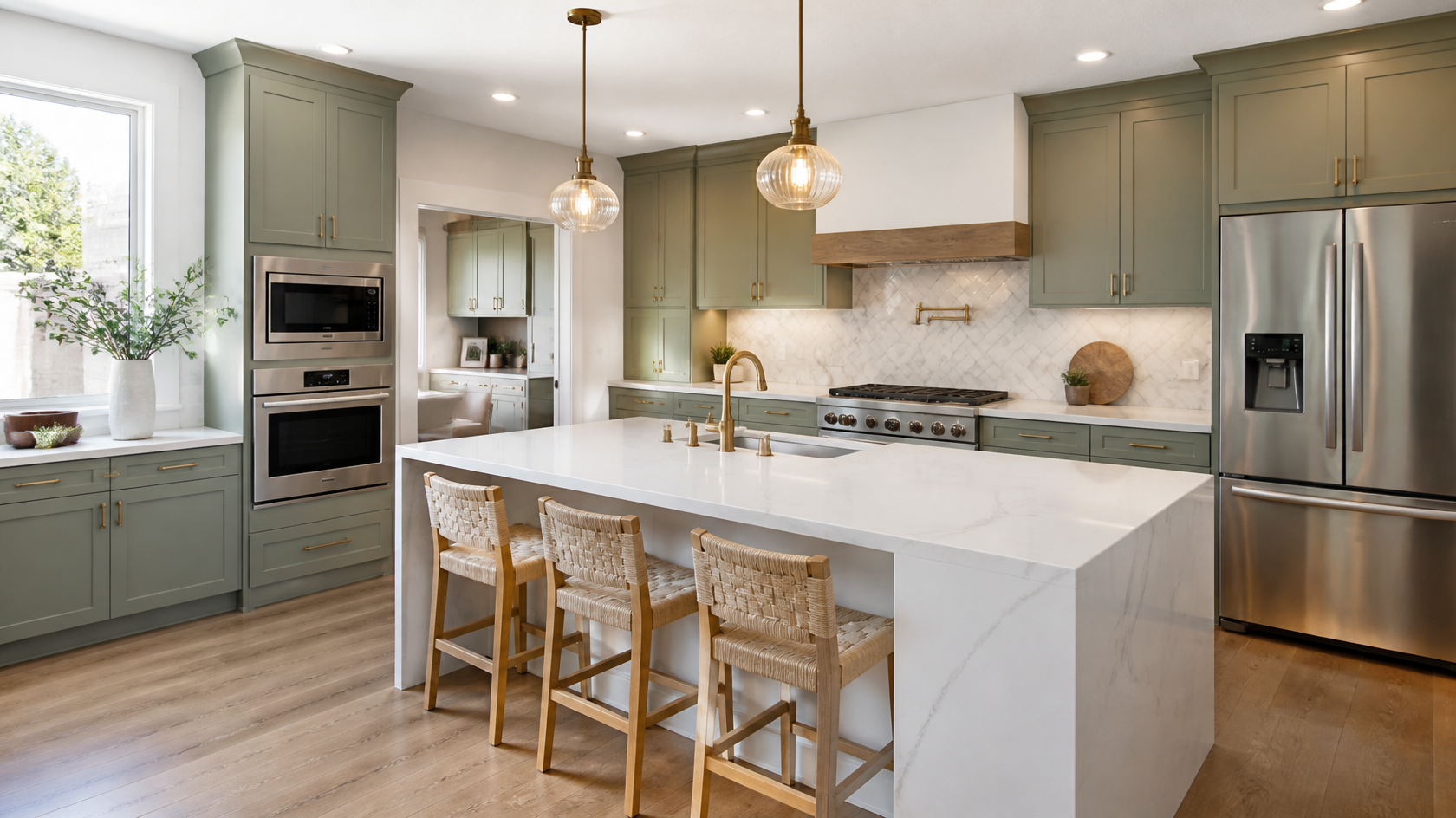
Try it on your own kitchen: Preview your kitchen remodel with AI — free →. Upload a photo and get a photorealistic redesign in 30 seconds.
The best AI kitchen design tool in 2026 is one that turns a single phone photo of your existing kitchen into a photorealistic redesign in under a minute — accurately, across many styles, and without forcing a subscription. After testing seven popular tools on the same kitchen photo, GenRoom came out on top for output realism, style range, and one-time pricing.
This is a hands-on comparison, not a list scraped from other articles. We uploaded the identical photo of a dated, oak-cabinet kitchen into each tool, applied the same style where possible, and judged the results on realism, structure preservation, speed, free tier, and value. Below is the full ranking, real screenshots of every tool, and clear guidance on which one fits your remodel.
One honest caveat up front, confirmed by kitchen industry sources: AI kitchen design is a visualization aid, not a construction document. As of 2026, no AI tool produces buildable cabinetry runs, code-compliant clearances, or accurate measurements (the cabinet trade is explicit about this). Use these tools to explore looks and make decisions — then hand verified measurements to a designer or cabinet maker.
How We Tested These AI Kitchen Tools
To keep the comparison fair, we used one fixed input across all seven tools: a photo of a tired galley kitchen with worn oak cabinets, beige laminate counters, and a single window. Where each tool allowed it, we requested a Modern Farmhouse kitchen. We scored each on:
- Realism: Do cabinets, counters, and appliances look like a real photo or an obvious AI render?
- Structure preservation: Does it keep the window, ceiling height, and layout, or invent a different room?
- Style range: How many genuinely distinct kitchen styles are available?
- Speed: Time from upload to finished result.
- Free tier: What you actually get before paying.
- Value: Price relative to output quality and flexibility.
We ran three to five generations per tool to average out the variation that's normal with generative AI. The scores below reflect the typical result, not a cherry-picked best.

Quick Comparison: AI Kitchen Design Tools at a Glance
The table below summarizes every tool we tested. Prices are verified against each provider's official pricing page as of June 2026.
| Tool | Type | Kitchen styles | Speed | Free tier | Starting price | Best for |
|---|---|---|---|---|---|---|
| GenRoom | Photo redesign | 60+ | ~30 sec | 6 credits, no card | $9.99 one-time | All-round best |
| ReimagineHome | Photo redesign | 30+ | ~30 sec | 3 designs, no card | $14/mo | Shoppable products |
| RoomGPT | Photo redesign | 20+ | ~20 sec | 3 credits | ~$9/mo | Fastest, simplest |
| DecorAI | Photo redesign | 20 | ~40 sec | 3 designs, no card | $24/mo | Casual one-offs |
| Fotor | Prompt + photo | Prompt-based | ~30 sec | Free (watermark) | ~$8.99/mo | Free experimenting |
| Planner 5D | 3D planner | Build-from-scratch | 1–2 min | Free tier | $4.99/mo | Floor plans + layout |
| Homestyler | 3D planner | Build-from-scratch | 2+ min | Free tier | ~$238/yr | Furniture catalog |
A key distinction: photo redesign tools (the top five) take a picture of your existing kitchen and restyle it. 3D planners (Planner 5D, Homestyler) make you build the room from scratch in a 3D editor. They solve different problems, which is why they sit at the bottom of a "redesign from photo" comparison — not because they're bad.
#1 GenRoom — Best Overall AI Kitchen Design Tool
Score: 9.4/10
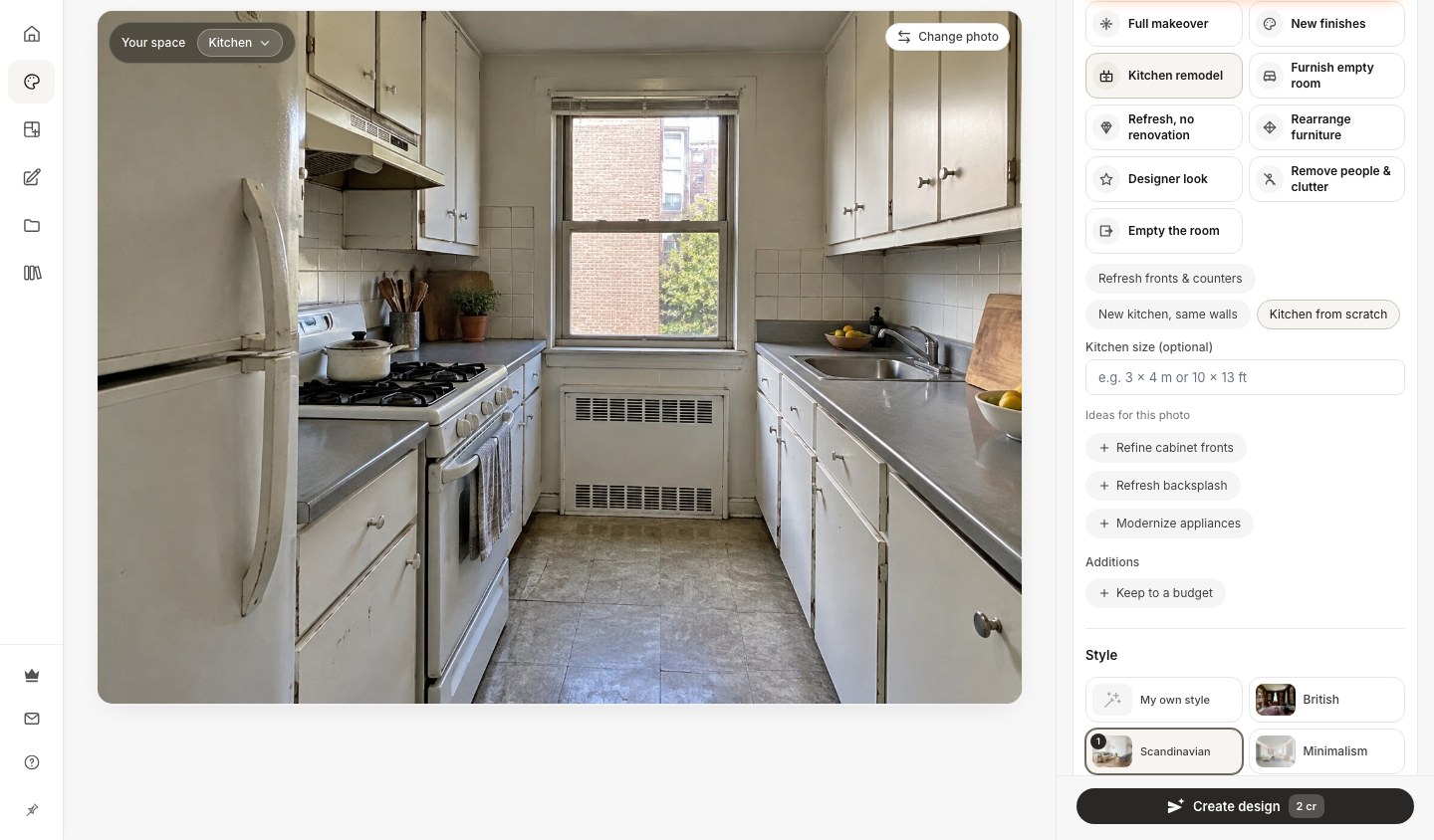
GenRoom produced the most convincing kitchen redesigns of any tool we tested. Upload a photo, pick a style, and in about 30 seconds it returns a photorealistic version of your kitchen that keeps the layout, window, and ceiling intact while reimagining cabinetry, countertops, backsplash, fixtures, and decor.
What makes it stand out: GenRoom handles the parts of a kitchen that trip up weaker tools. In our galley-kitchen test it kept the window in the correct place, preserved the run of base cabinets, and rendered the quartz island and herringbone backsplash with realistic material texture. It also covers more than just kitchens — interiors, facades, and yards — in one account, which matters if you're planning a whole-home remodel.
The AI Editor advantage: After your first result, GenRoom's AI Editor lets you refine with words or a brush (select an area and describe the change) — "make the cabinets sage green," "swap the counter for butcher block," "add open shelving." This iterative step is what separates a useful design workflow from a one-shot slot machine, and most pure photo tools don't offer it.
Style library: 60+ styles overall, with dozens relevant to kitchens — Scandinavian, minimalist, farmhouse, industrial, mid-century modern, contemporary, coastal, classic, neoclassical, and Japandi among them. The styles are meaningfully different, not five shades of the same white kitchen.
Speed: ~30 seconds per generation, consistent across plans.
Pricing (verified at genroom.io/pricing):
- Free: 6 credits with a free account, no credit card required (results carry a watermark) — try it at genroom.io/generate
- Start: $9.99 one-time — 36 credits (~18 designs and edits), watermark-free
- Basic: $19.99 one-time — 100 credits (~50 designs and edits) + 4K included
- Pro: $39.99 one-time — 300 credits + 4K + up to 5 reference photos + private designs
Crucially, these are one-time purchases, not subscriptions — credits stay valid for 180 days. For a one-and-done kitchen project, that's far better value than a recurring $14–$99/month plan you'll cancel after the remodel.
Limitations: Like every tool here, it won't give you build-ready measurements. The credit model means heavy daily users need to top up, though for a single remodel one bundle is plenty.
Verdict: The most realistic kitchen output, the widest useful style range, built-in editing with words or a brush in every plan, and pay-once pricing. For homeowners and remodelers, GenRoom is the easy first pick.
#2 ReimagineHome — Best for Shoppable Results
Score: 8.0/10

ReimagineHome takes a decision-first approach. Beyond redesigning your kitchen photo, it can surface real, purchasable products that match the look — useful if you intend to actually buy cabinets, fixtures, or decor based on the design. It markets a homeowner workflow of "test six cabinet colors before ordering," which captures its strength well.
Output quality: Good and structurally faithful — it preserves walls and windows by default. Surface restyling (cabinet color, paint, textures) is its sweet spot, and iterative refinement is built in.
Pricing (verified at reimaginehome.ai/pricing): Free tier gives 3 designs with no credit card. Paid plans run Essential $14/mo (30 credits), Optimal $29/mo (200), Advanced $49/mo (500), and Premium $99/mo (1,200).
Limitations: It's subscription-only beyond the free tier, so a short remodel project means paying monthly for capacity you won't keep using. No one-time bundle.
Verdict: The best choice if shopping for real products is part of your plan. For pure visualization at lower lifetime cost, GenRoom's pay-once model wins.
#3 RoomGPT — Fastest and Simplest
Score: 7.6/10

RoomGPT is the tool that popularized AI room redesign, and it's still the quickest, most stripped-down option. Upload, pick a style, generate — some kitchen results came back in under 20 seconds, the fastest in our test.
Output quality: Decent. It handles straightforward kitchens fine, but in trickier lighting or tight galley layouts the results looked slightly more artificial than GenRoom or ReimagineHome.
Style variety: 20+ styles, which covers the mainstream kitchen looks but won't satisfy someone hunting a specific aesthetic.
Pricing: Account-based with 3 free credits to start; paid bundles begin around $9. (At the time of testing it was running a "FLASH60" 60% promo — treat any promo pricing as temporary.)
Limitations: No text-prompt editor, narrower style set, and kitchen-specific structure can drift on complex rooms.
Verdict: A great quick sanity check — "does my kitchen work in farmhouse style?" — but not deep enough to be your only tool for real decisions.
#4 DecorAI — Best for Casual One-Offs
Score: 7.0/10

DecorAI covers the basics cleanly. In independent 2026 testing it produced usable first-try kitchen results roughly 60% of the time, with a friendly interface and 20 styles, most of them kitchen-relevant.
Output quality: Acceptable for inspiration. It won't match GenRoom's realism on materials and lighting, but for quickly auditioning a vibe it does the job.
Pricing: 3 free designs with no credit card, then a flat $24/month. The free tier is genuinely no-strings — no watermark, no card.
Limitations: The flat monthly price is steep for occasional use, and there's no one-time option. Fewer styles and no advanced editor.
Verdict: Fine for a homeowner who wants a few quick concepts and nothing more. For better realism and pay-once value, GenRoom is the stronger pick.
#5 Fotor — Best Free Tool for Experimenting
Score: 6.6/10

Fotor's AI kitchen generator is a general image tool with a kitchen mode, powered by Google's Nano Banana model. You upload a photo, describe what you want in natural language, and it generates a kitchen concept. It's a flexible, low-commitment way to play with ideas.
Output quality: Variable. Because it's prompt-driven rather than a purpose-built kitchen redesigner, structure preservation is less reliable — it sometimes reinterprets the room more loosely than dedicated tools.
Pricing: Free online use with a watermark; paid plans (around $8.99/month) remove limits and watermarks.
Limitations: No fixed kitchen style library — you steer everything by prompt, which is powerful but inconsistent. Less faithful to your actual layout.
Verdict: A solid free playground if you enjoy prompt-tinkering. For dependable, layout-accurate kitchen redesigns, a purpose-built tool like GenRoom is more reliable.
Create interior design with AI
Upload a photo of your room and get a professional design in 30 seconds. First generation is free.
#6 Planner 5D — Best for Floor Plans and Layout
Score: 6.2/10

Planner 5D is a different category: a 3D home-design app where you build the kitchen from scratch rather than redesign a photo. Its AI features generate layouts that respect dimensions, traffic flow, and the classic kitchen work triangle, and you can test galley, L-shaped, U-shaped, island, and peninsula configurations.
What's unique: True spatial planning. If you care about where the sink, stove, and fridge sit relative to each other — not just how the kitchen looks — this is genuinely useful.
Pricing: A capable free tier; Premium is $4.99/month or $59.99/year, and a Professional plan runs $33.33/month for unlimited 4K renders.
Limitations: It won't restyle a photo of your existing kitchen. Expect a learning curve and 1–2 minute render times.
Verdict: Best when you're planning layout and floor plans, not restyling an existing room. Pair it with a photo tool: Planner 5D for the plan, GenRoom for photorealistic style exploration.
#7 Homestyler — Best Furniture Catalog
Score: 5.9/10

Homestyler is another 3D planner, strongest for its enormous catalog of real, branded furniture and fixtures. You drag and drop cabinets, appliances, and lighting into a 3D room and simulate the result. Its free floor-plan creator is generous and genuinely free.
What's unique: A massive library of real products to place in a built-from-scratch kitchen, plus solid 2D/3D editing.
Pricing: Free basic access; paid plans run roughly $238–$478/year for higher-quality output and more assets.
Limitations: Not photo-based — wrong tool if you want to upload your kitchen and see it redesigned. Renders can exceed two minutes.
Verdict: Excellent for designing a new kitchen from scratch with real products. Irrelevant if your goal is restyling an existing space from a photo, which is why it ranks last in a redesign-focused list.
AI Kitchen Design in Practice: What to Expect

Testing seven tools on the same kitchen made the strengths and limits of AI kitchen design clear.
What AI kitchen tools do well:
- Restyle an existing kitchen — cabinets, counters, backsplash, fixtures — while keeping the layout
- Explore many styles in minutes instead of paying a designer for concept work
- Help you commit to a direction (cabinet color, counter material) before spending money
- Produce shareable visuals for contractors, partners, or real estate listings
Where AI kitchen tools still fall short:
- No real measurements. AI can't calculate clearances, cabinet runs, or code compliance. Kitchen pros are unanimous that AI output isn't construction-ready.
- Structure can drift in complex layouts — islands may shift, a window may move.
- Appliance and cabinet logic isn't always physically plausible at first try.
Why an editor matters: This is the practical case for GenRoom's AI Editor. Instead of accepting the first generation, you correct specifics with words or a brush — "move the open shelving lower," "make the island white." That bridges the gap between an interesting image and a usable plan.
Cost reality: A kitchen designer's concept work runs $100–$300/hour, and professional 3D kitchen renders cost $100–$300 per view. AI tools produce comparable visualizations for cents per image — a 99%+ saving on the visualization step alone.
How to Choose the Right AI Kitchen Tool for You
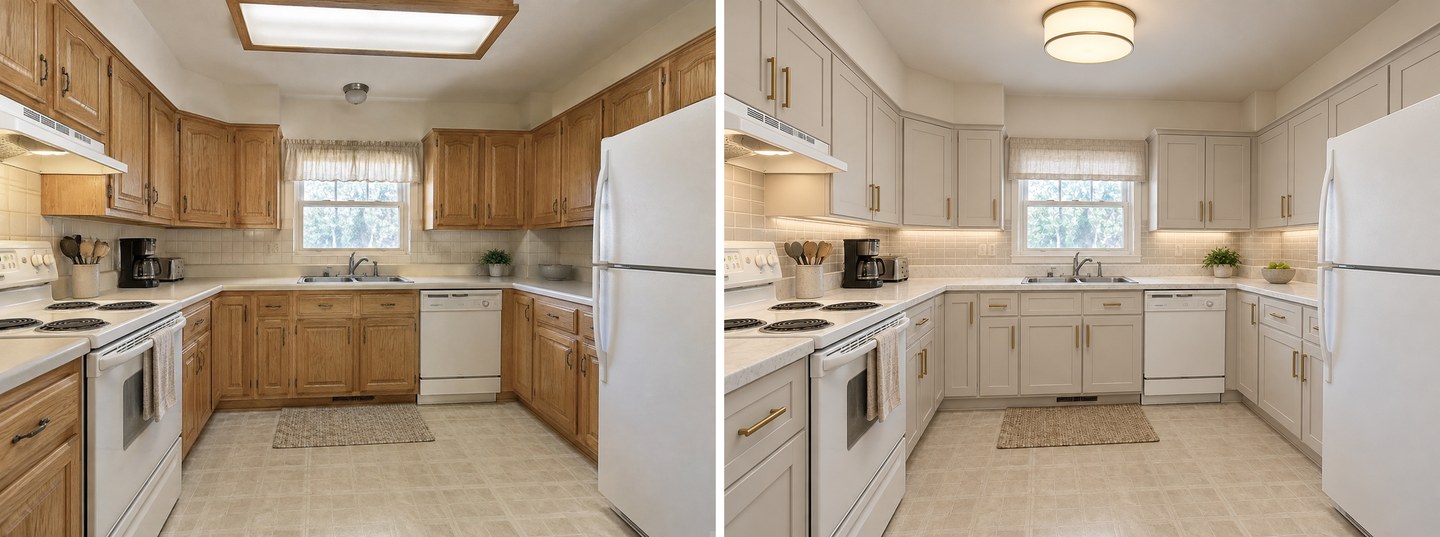
You're a homeowner planning a remodel: Start with GenRoom's free designs — no credit card — to test a few styles on your kitchen photo. If you need more, the $19.99 Basic bundle (100 credits, 4K included) covers an entire remodel for less than one month of most subscriptions.
You want to shop for real products as you design: ReimagineHome's product matching is the differentiator. If buying specific cabinets or fixtures is part of the plan, it saves time.
You want the absolute fastest first look: RoomGPT generates in under 20 seconds. Good for a quick "does this style work?" gut check.
You're planning layout, not just looks: Use a 3D planner — Planner 5D for layout logic and the work triangle, Homestyler for its product catalog — then bring your chosen layout into a photo tool for realistic styling.
You're on the tightest budget: GenRoom's free tier and $9.99 one-time Start plan, Fotor's free watermarked mode, or Planner 5D's free tier are the most accessible starting points.
AI Kitchen Design for Different Kitchen Layouts
Kitchens are harder for AI than living rooms because of cabinetry, appliances, and tight geometry. Based on our testing:
- Galley kitchens: GenRoom and ReimagineHome held the narrow layout best; lesser tools widened the room unrealistically.
- L-shaped and U-shaped: Most photo tools handled these well; GenRoom kept corner cabinetry coherent.
- Open-plan with island: The hardest case. GenRoom rendered islands with believable proportions most consistently; some tools floated the island or changed its size between generations.
- Small kitchens: AI is great for testing light cabinet colors and reflective backsplashes to make a small kitchen feel larger before you commit.
For a deeper walkthrough of restyling a kitchen step by step, see our guide on how to redesign a kitchen with AI, and for surface-level choices, our AI kitchen backsplash and tile visualizer guide.
FAQ
What is the best AI kitchen design tool in 2026?
For most homeowners, GenRoom is the best AI kitchen design tool in 2026. It produced the most photorealistic redesigns in our test, preserves your kitchen's layout and window placement, offers 60+ styles plus an AI Editor for edits with words or a brush, and uses one-time pricing instead of a subscription. ReimagineHome is the top alternative if shopping for real products matters, and RoomGPT is the fastest for a quick first look.
Is there a free AI kitchen design tool?
Yes. GenRoom gives you 6 free credits (about 3 kitchen designs) with a free account and no credit card required. ReimagineHome and DecorAI each give 3 free designs with no card, RoomGPT includes 3 free credits with an account, and Fotor is free online with a watermark. Free tiers are limited but enough to judge output quality before paying.
How accurate is AI kitchen design?
AI kitchen design is accurate enough for visualization but not for construction. The best tools preserve about 80–85% of a standard kitchen's layout, window placement, and proportions, but they cannot calculate exact measurements, clearances, or code compliance. Kitchen professionals are clear that AI output is a starting point for ideas, not a buildable plan — always verify dimensions with a designer or cabinet maker before ordering.
Can AI kitchen design tools work from a photo of my existing kitchen?
Yes. Photo-based tools like GenRoom, ReimagineHome, RoomGPT, and DecorAI take a single photo of your current kitchen and restyle it — changing cabinets, counters, backsplash, and fixtures while keeping the layout. 3D planners like Planner 5D and Homestyler work differently: you build the kitchen from scratch in a 3D editor rather than uploading a photo.
How long does AI kitchen design take?
Photo-based AI kitchen tools generate a result in 20–45 seconds — GenRoom averages around 30 seconds. 3D planners take longer, typically 1–2+ minutes per render, because they build and light a full 3D scene. Either way, it's dramatically faster than the days or weeks traditional kitchen rendering requires.
Can AI replace a kitchen designer?
No. AI excels at the fast, affordable visualization step — exploring styles, cabinet colors, and layouts — but it can't handle measurements, contractor coordination, appliance specs, plumbing, or building code. The best results come from combining AI for ideas with a human designer for the buildable plan. Treat AI as a visualization assistant, not a replacement.
The Bottom Line
The best AI kitchen design tool depends on your goal, but for most homeowners and remodelers the answer is GenRoom. It delivered the most realistic kitchen redesigns in our testing, kept layouts and windows intact, offered the widest set of genuinely distinct styles, and included an AI Editor for edits with words or a brush that no other photo tool matched — all on pay-once pricing instead of a subscription.
If shopping for real products is central to your remodel, ReimagineHome is worth a look. If you want the fastest possible first render, try RoomGPT. And if you're planning layout from scratch, pair a 3D planner like Planner 5D with a photo tool for the styling.
Ready to see your own kitchen reimagined? Start with GenRoom's free designs — upload a photo, pick a style, and get a photorealistic result in about 30 seconds, no credit card required.
Published June 2026. Pricing and features verified against each provider's official pages at the time of publication. AI tools change frequently — always check current pricing before purchasing, and verify real measurements with a professional before ordering cabinetry.