Best AI Bathroom Design Tools & Generators in 2026 (Tested)
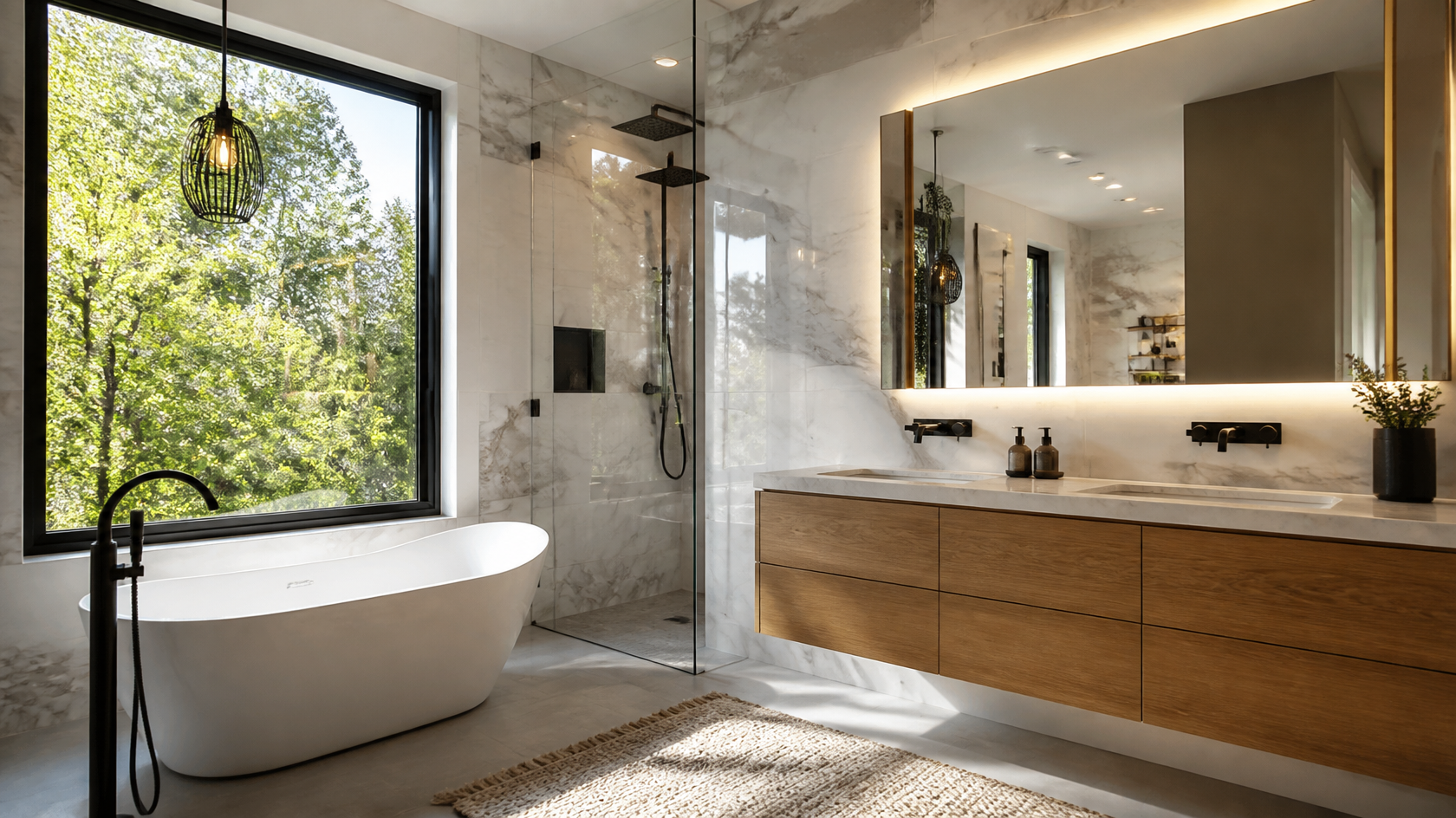
Try it on your own bathroom: Remodel your bathroom with AI — free →. Upload a photo and get a photorealistic redesign in 30 seconds.
The best AI bathroom design tool in 2026 is one that transforms a photo of your real bathroom — not a blank 3D box — into a photorealistic remodel while keeping your actual layout, window, and plumbing in place. After testing six popular AI bathroom design generators on the same dated bathroom photo, the tools that preserved layout and rendered believable tile, fixtures, and lighting pulled clearly ahead of the rest.
GenRoom came out on top for homeowners and remodelers: it kept the room's geometry intact, offered 60+ design styles, included editing with words or a brush for fine-tuning, and gave us 6 free credits with no credit card. Below is the full hands-on breakdown — what each tool does well, where it stumbles, free-tier limits, real pricing, and which one fits your project.
Bathroom remodels are unforgiving. The average bathroom renovation runs $10,000–$30,000, and once tile is set and fixtures are plumbed, mistakes are expensive to undo. According to the National Kitchen & Bath Association, bathrooms remain one of the highest-ROI rooms to remodel — which is exactly why visualizing the result before you buy materials matters so much.
How We Tested These AI Bathroom Design Tools
To keep the comparison fair, we ran every tool through the same process: one photo of a tired 1990s bathroom — beige tile, oak vanity, builder-grade mirror — and three target looks (modern, spa, and small-bathroom green). We then scored each generator on the criteria that actually matter for a bathroom, not just a generic room.
- Output quality (realism): photoreal tile grout, accurate vanity wood grain, no warped fixtures or melted shower glass
- Layout preservation: does it keep the toilet, tub, and window where they really are?
- Style range: number of genuinely distinct bathroom looks
- Bathroom-specific control: tile swaps, paint preview, fixture variation, object removal
- Free tier: what you actually get before paying, and whether a card is required
- Value for money: price per usable result, not just headline price
We ran three to five generations per tool to account for variability, since AI output differs run to run. The scores and notes below reflect the average experience, not a single lucky render.
Quick Comparison: AI Bathroom Design Tools at a Glance
| Tool | Bathroom styles | Free tier | Starting price | Keeps your layout? | Best for |
|---|---|---|---|---|---|
| GenRoom | 60+ styles | 6 credits (no card) | $9.99 one-time | Yes | All-round best for homeowners |
| RoomGPT | ~10 themes | 1–3 generations | ~$9–15 (paid) | Yes | Fastest one-click redesign |
| ReimagineHome | Prompt-based | 3 designs (no card) | Paid Pro tier | Yes | Shoppable products |
| DecorAI | Multi-room | 3 designs | Paid plans | Yes | Variety of room types |
| MyArchitectAI | Style presets | Free, no login | Free / paid | Yes | Quick no-signup test |
| Homestyler | 3D library | Free 3D planner | $4.90+/mo | No (builds from scratch) | Floor plans & 3D layouts |
Prices and free tiers verified June 2026 from each tool's official site. Some tools (notably RoomGPT) gate exact pricing behind login, so treat those figures as the published ranges.
#1 GenRoom — Best Overall AI Bathroom Design Tool
Score: 9.4/10
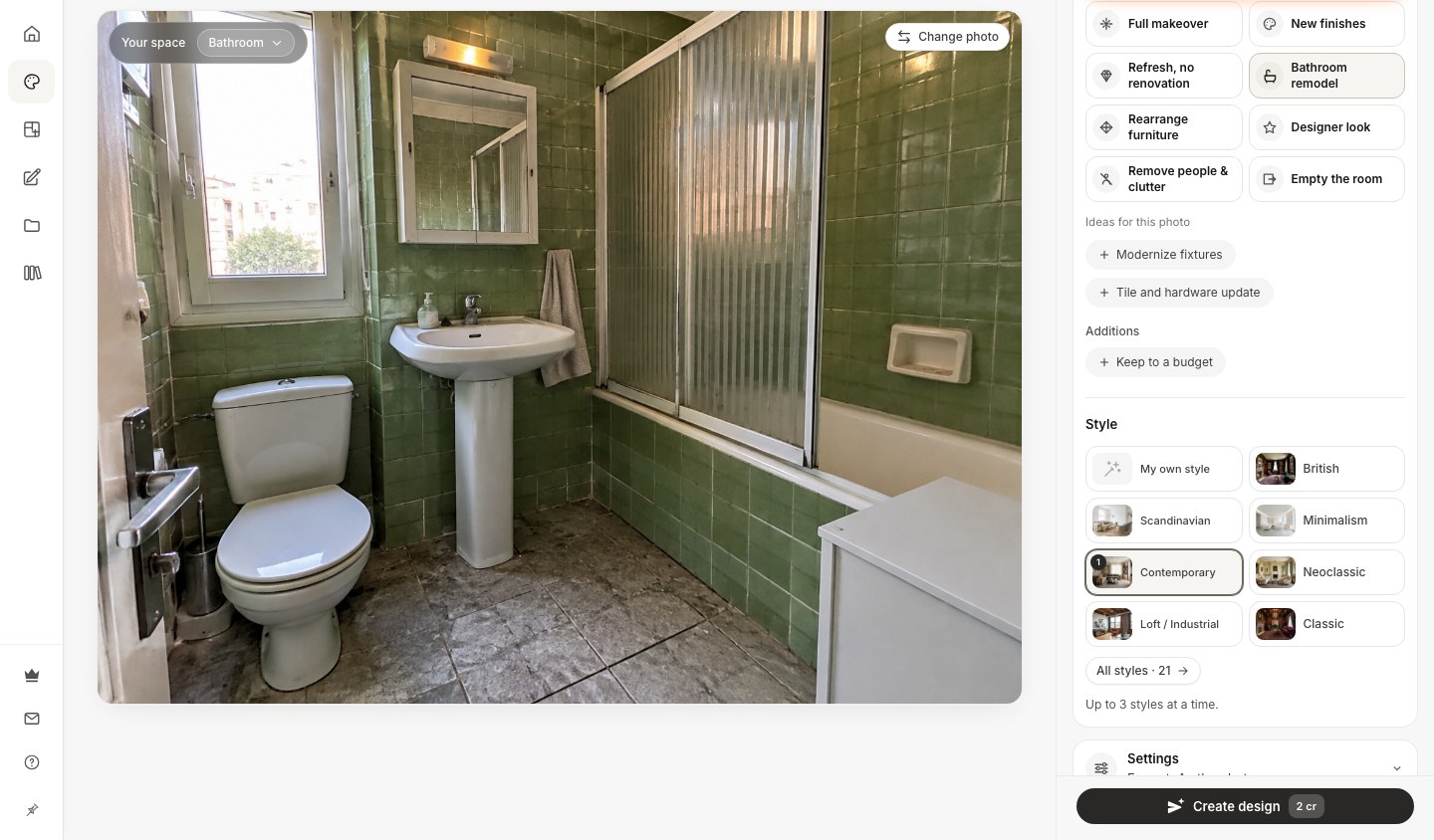
GenRoom was the most complete bathroom generator we tested. You upload a single photo of your existing bathroom, pick from 60+ design styles, and get a photorealistic redesign in roughly 30 seconds. Crucially, it kept the room's architecture honest — the window stayed put, the toilet and tub didn't teleport, and the vanity occupied the same wall it does in real life. That layout fidelity is exactly what you need when you're planning an actual remodel rather than dreaming up a fantasy room.
What makes it stand out: the built-in AI Editor. After you get a first result, you can refine it with plain-text prompts or a brush selection — "swap the floor for large-format grey tile," "make the vanity walnut," "add a brass rainfall shower" — and the AI applies those changes while preserving the rest of the room. For bathroom planning, this is the closest thing to working with a designer: you iterate toward the exact tile-and-fixture combination instead of rerolling the whole room and hoping.
Output quality: the strongest in our test. Tile grout lines were clean, fixture proportions stayed realistic, and the lighting felt like a real photo rather than a render. Every design runs on the same top-tier image AI, and the results could pass for professional photography.
Style range: 60+ styles, from Scandinavian and Japandi to spa, coastal, and contemporary — meaningfully different looks, not just palette swaps. You can also run facades and yards on the same account, which is handy if your bathroom remodel is part of a bigger project.
Free tier: 6 credits with a free account, no credit card required — enough to test a couple of styles on your own bathroom before deciding. Start your first designs at /generate.
Pricing (verified at /pricing):
- Start — $9.99 for 36 credits (~18 generations), no watermark
- Basic — $19.99 for 100 credits (~50 generations) + free 4K
- Pro — $39.99 for 300 credits (~150 generations) + free 4K, up to 5 reference photos per design, private designs
All plans are one-time purchases (not subscriptions), and credits stay valid for 180 days — a genuinely homeowner-friendly model, since a remodel happens once, not monthly.
Where it falls short: it's a visualization tool, not a construction document. It won't generate a plumbing diagram or guarantee a fixture exists at your local store. For inspiration-to-plan, though, it was the most reliable tool we used.
Bottom line: If you want one tool that turns a photo of your real bathroom into a believable, editable remodel, GenRoom is the pick. Try it free.
#2 RoomGPT — Fastest One-Click Bathroom Redesign
Score: 7.8/10

RoomGPT is one of the best-known names in AI room design, with over 4 million users. It treats the bathroom as a room type: upload a photo, pick a theme and room type, and it returns a redesigned version in around 20 seconds. The interface is about as simple as it gets — there's essentially one button, "Redesign your room."
Strengths: speed and simplicity. If you just want a quick "what if my bathroom were modern?" snapshot, RoomGPT delivers it with almost no learning curve, and it preserved our bathroom's basic layout well.
Weaknesses: depth. There's no text-based editor to fine-tune a result, the style library is narrower than GenRoom's, and bathroom-specific controls (tile-only swaps, fixture variation) aren't really there — you redesign the whole room each time. The free tier is also thin: 1–3 generations before you hit a paywall.
Pricing: RoomGPT gates exact pricing behind login, and published figures vary by source (roughly $9–15 for entry tiers, with a recurring FLASH60 60%-off promo). Treat the homepage promo as the real signal: pricing is promotional and changes often.
Best for: anyone who wants the fastest possible one-click redesign and doesn't need to iterate on details.
#3 ReimagineHome — Best for Shoppable Bathroom Products
Score: 7.6/10

ReimagineHome leans into a different angle: designs you can actually buy. Instead of preset styles, it works through guided prompts and iterative refinement, and it pairs results with real, purchasable products from retailers like West Elm, IKEA, Target, and Wayfair. For a bathroom, that means a redesign can come with shoppable vanities, mirrors, and accessories — useful if you want to go straight from "I like this" to a cart.
Strengths: the shoppable-product integration is genuinely helpful for execution, and the free tier is honest — 3 designs, no credit card, full AI quality (no watered-down trial). It also handles virtual staging and bathroom remodels as featured use cases.
Weaknesses: because it's prompt-driven rather than style-driven, getting a specific bathroom look takes more wording and iteration than picking a preset in GenRoom. There's no fixed style count to browse, which some users will find freeing and others fiddly.
Pricing: a free "Decision Mode" (3 designs) and a paid "Execution Mode" (unlimited designs, clean downloads); exact Pro pricing lives on its pricing page.
Best for: remodelers who want their AI design tied to real products they can order.
#4 DecorAI — Most Room Types Under One Roof
Score: 7.2/10

DecorAI is a broad AI interior tool — 2.5M+ users and 35M+ designs generated — that supports an unusually long list of room types, including both "Bath Room" and "Hotel Bathroom." You can feed it photos, floor plans, or sketches, and it offers 4x image upscaling for sharper output.
Strengths: versatility. If you're redesigning a bathroom alongside a kitchen, living room, and a home office, DecorAI covers all of them in one place, and the upscaling helps clean up final renders.
Weaknesses: the bathroom experience isn't specialized — it's a general room redesigner pointed at a bathroom. We saw occasional fixture warping in tighter shots, and like most general tools it lacks tile-only or fixture-only swaps. The free allowance (around 3 designs) is enough to test but not to plan.
Pricing: paid plans unlock more generations and upscaling; pricing is shown after sign-up rather than on the homepage.
Best for: people redesigning several room types at once who want one account for everything.
Create interior design with AI
Upload a photo of your room and get a professional design in 30 seconds. First generation is free.
#5 MyArchitectAI — Best Free, No-Signup Quick Test
Score: 6.8/10
MyArchitectAI offers a free AI bathroom design generator with no login required — you can experiment with styles, materials, and textures, then download images at no cost. For a fast, friction-free first look, it's hard to beat zero signup.
Strengths: the lowest barrier to entry of any tool here. No account, no card, instant download. Good for a quick gut-check before you commit to a paid tool.
Weaknesses: it's a lighter experience. Output realism trailed GenRoom and RoomGPT in our test, there's no iterative text editor, and bathroom-specific controls are minimal. It's a sampler, not a planning tool.
Best for: a quick, no-commitment first impression of what AI bathroom design can do.
#6 Homestyler — Best for 3D Layouts and Floor Plans
Score: 6.5/10

Homestyler is the odd one out — and intentionally so. It's a 3D planning tool, not a photo-to-photo AI generator. Instead of transforming a picture of your bathroom, you build the room from scratch: drag in a tub, place a vanity, choose tiles from a library, and render a 3D view. Its free tier covers the 3D planner, with paid plans (from around $4.90/mo) unlocking more assets and renders.
Strengths: if you're changing the layout — moving the shower, reconfiguring a small bathroom — a 3D planner like Homestyler lets you test floor plans in a way photo-based AI tools can't. The asset library is large.
Weaknesses: it's slower and has a real learning curve. You won't get a 30-second redesign of your actual room; you'll spend time modeling. For pure "show me my bathroom in a new style," it's the wrong tool.
Best for: people reworking the bathroom layout and floor plan, not just the finishes.
What to Look For in an AI Bathroom Design Tool

Not every "AI room designer" handles bathrooms well. Bathrooms are small, fixture-dense, and full of reflective glass and water — the hardest things for image AI to render convincingly. Across our test, frameless shower glass was the single most common failure point, warping or fogging in nearly every tool. Keep these factors in mind when choosing.
Layout Preservation
For remodel planning, the tool must keep your real layout — window position, toilet and tub location, door swing. Photo-based tools (GenRoom, RoomGPT, ReimagineHome, DecorAI) do this; 3D builders (Homestyler) let you change it but require modeling. If you only want new finishes, pick a photo-based generator.
Bathroom-Specific Controls
Generic room redesigners change everything at once. The best bathroom workflows let you isolate variables — swap just the floor tile, then test wall color against it, then change the vanity. GenRoom's AI Editor approximates this with targeted text prompts and brush selections (in every plan, even Free), which is why it scored highest on control.
Free Tier Honesty
A "free" tool that watermarks every result or limits you to one low-res render isn't really testable. Look for a free tier with full quality and no card — GenRoom (6 credits; free results carry a watermark but come at full quality), ReimagineHome (3 designs), and MyArchitectAI (no signup) were the most honest here.
Realism Under Pressure
Test the tool on a small bathroom, not a magazine spread. Tight rooms expose AI weaknesses fast: warped fixtures, impossible reflections, melted glass. The tools that held up on a cramped 5'×8' bathroom are the ones worth paying for.
How to Get the Best Results From Any AI Bathroom Tool

The tool matters, but your input matters more. These habits improved results across every generator we tested:
- Shoot the photo in good light. Open the blinds, turn on every light, and shoot the bathroom straight-on from the doorway. AI infers depth and material from your photo — a dim, cluttered shot produces a worse redesign.
- Declutter first. Remove towels, bottles, and bath mats. AI sometimes "designs around" clutter, baking it into the result.
- Change one big thing at a time. Especially with an editor like GenRoom's, isolate variables: lock the tile you like, then iterate the vanity. You'll reach a coherent design faster than rerolling everything.
- Generate three to five versions per style. Output varies run to run. The best result is often the third or fourth, not the first.
- Save your favorites side by side. When you take options to a contractor or tile showroom, a few photoreal references communicate intent far better than words.
For deeper, room-by-room guidance, see our AI bathroom design visualizer guide and our walkthrough on the AI cabinet and vanity color visualizer.
Frequently Asked Questions
What is the best free AI bathroom design tool?
For a genuinely useful free experience, GenRoom (6 credits, no card), ReimagineHome (3 full-quality designs, no card), and MyArchitectAI (no signup at all) lead the pack. GenRoom's free credits go furthest for remodel planning because they unlock the same layout-preserving engine as the paid tiers. You can start free at /generate.
Can AI redesign my actual bathroom from a photo?
Yes. Photo-based tools like GenRoom, RoomGPT, ReimagineHome, and DecorAI take a single photo and return a redesigned version that keeps your real window, fixtures, and layout while changing tile, color, vanity, and lighting. Homestyler is the exception — it builds a new 3D room from scratch rather than transforming your photo.
How much do AI bathroom design tools cost in 2026?
Most photo-based tools offer a small free tier, then charge for more generations. GenRoom starts at $9.99 as a one-time purchase (36 credits, valid 180 days). RoomGPT runs roughly $9–15 with frequent promos. Homestyler's 3D planner starts around $4.90/month. There's no need to spend more than $10–20 to fully plan a single bathroom.
Are AI bathroom designs realistic enough to plan a remodel?
For finishes — tile, paint, vanity, fixtures, lighting — yes. The top tools produce photoreal results accurate enough to choose materials and brief a contractor. They are not construction documents: AI won't size plumbing, guarantee a product exists, or replace a structural plan. Use them for inspiration and decision-making, then confirm specifics with a pro.
Which AI tool keeps my bathroom layout the same?
All the photo-based generators here — GenRoom, RoomGPT, ReimagineHome, and DecorAI — preserve your existing layout by design, redesigning only finishes and fixtures. If you want to change the layout (move the shower, reconfigure a small bathroom), use a 3D planner like Homestyler instead.
Why do AI tools struggle with shower glass and small bathrooms?
Reflective glass, water, and tight spaces are the hardest scenes for image AI. Frameless shower glass was the most common failure across every tool we tested, and cramped bathrooms expose fixture warping. Generating several versions and picking the cleanest one is the practical workaround — and the higher-quality engines (like the top-tier image AI behind every GenRoom design) fail far less often.
The Bottom Line
After testing six AI bathroom design tools on the same dated bathroom, the gap between "fun toy" and "real planning tool" came down to two things: how faithfully each tool preserved the actual room, and how much control it gave us to refine the result. GenRoom led on both, pairing 60+ styles and editing with words or a brush with an honest 6-credit free tier and one-time pricing from $9.99 — the best fit for homeowners and remodelers planning a real bathroom. RoomGPT wins on raw speed, ReimagineHome on shoppable products, and Homestyler on 3D layout changes.
Whichever you choose, the move is the same: upload a clear photo of your current bathroom, test a few styles before you spend a dollar on tile, and take photoreal references to your contractor. Try GenRoom free and see your bathroom redesigned in about 30 seconds.