AI Room Makeover: Before and After Transformations
See how artificial intelligence turns tired spaces into stunning interiors in seconds

What Is an AI Room Makeover?
An AI room makeover uses artificial intelligence to redesign any space from a single photo. You upload an image, pick a style, and receive a photorealistic "after" version in under 30 seconds. No contractors, no paint swatches, no waiting.
GenRoom's engine analyzes room geometry, lighting, and furniture placement. It then generates a new design that respects the original layout while applying the style you chose. The technology uses advanced diffusion models trained on millions of interior design images to produce results that look like professional renders.
According to industry estimates, AI-powered design tools saved homeowners an average of $2,000-$5,000 in planning costs in 2025 by reducing the need for multiple professional consultations.
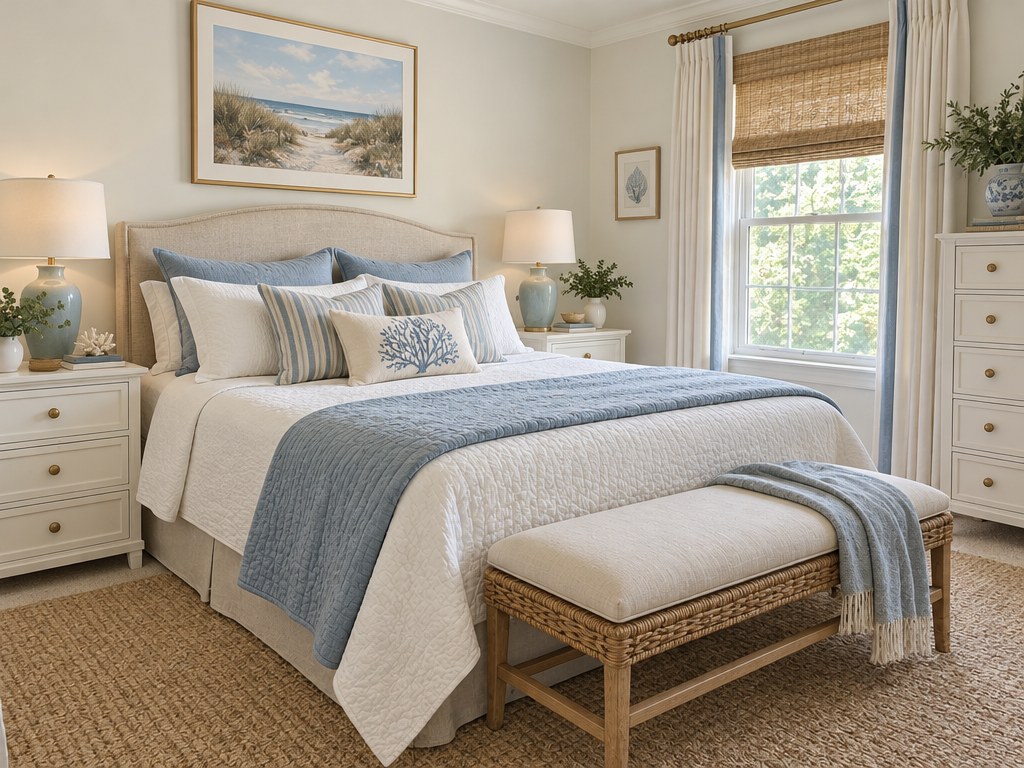
How the AI Makeover Process Works
The workflow is intentionally simple so anyone can use it — no design experience required.
- Upload a photo of your room, facade, or yard.
- Choose a mode or a design style from 60+ options (Scandinavian, Modern, Boho, Mediterranean, and more).
- Click "Create design" and wait roughly 20 seconds.
- Download the result or refine it with words or a brush in the AI Editor.
GenRoom preserves the room's dimensions, windows, and doors. It changes surfaces, furniture, colors, and decor to match your chosen style. The AI understands structural elements — it will not remove a load-bearing wall or relocate a window.
5 Before-and-After Transformations That Speak for Themselves
Real results show the power of AI better than any description. Below are five transformations created with GenRoom, each taking less than a minute from upload to finished render.
1. Dark Living Room to Bright Scandinavian
The original living room had heavy brown curtains, dated wallpaper, and poor lighting. After selecting the Scandinavian style, GenRoom replaced the palette with whites, light wood tones, and soft textiles. The result feels twice as spacious.
| Aspect | Before | After |
|---|---|---|
| Wall color | Dark beige wallpaper | Clean matte white |
| Furniture tone | Dark mahogany | Light birch and oak |
| Lighting feel | Dim, yellowish | Bright, natural daylight look |
| Overall mood | Cramped, outdated | Airy, modern, inviting |
| Estimated real cost | — | $8,000 - $15,000 |
The AI preserved the window position and sofa placement while completely transforming the atmosphere. This is the type of transformation that helps homeowners realize the potential hiding in their existing space.
2. Outdated Kitchen to Sleek Modern
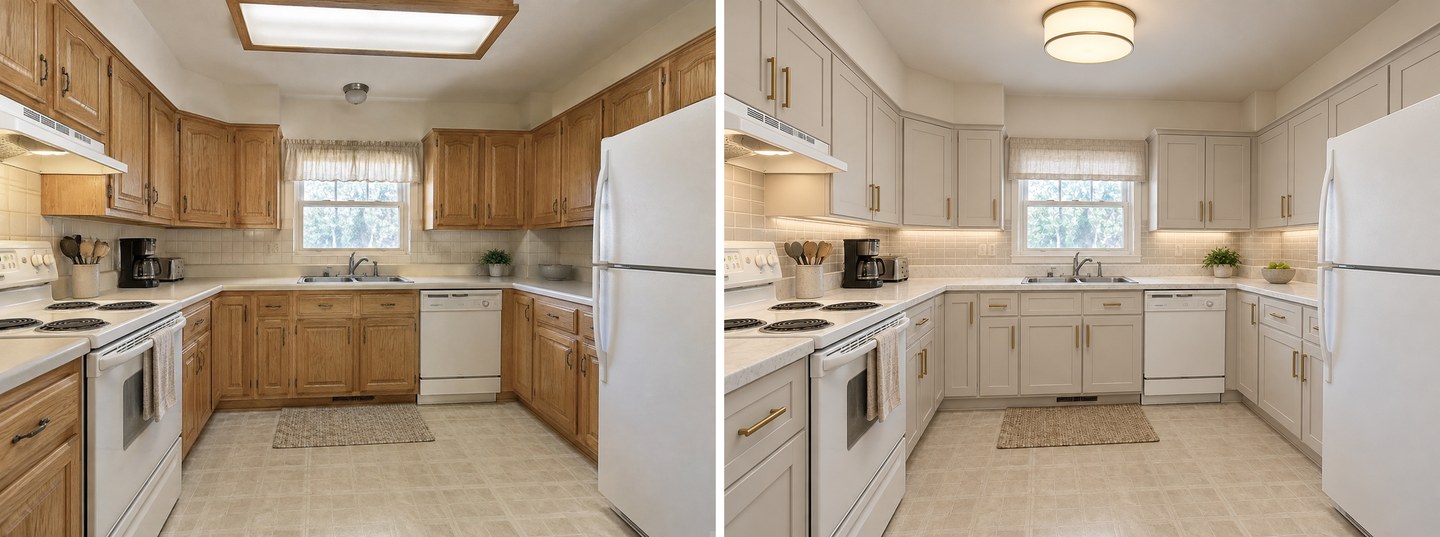
Laminate counters, oak cabinets from the 1990s, and fluorescent lighting made this kitchen feel stuck in time. GenRoom applied a Modern style: handleless white cabinetry, stone countertops, and pendant lighting appeared in the render.
The AI kept the window position and general appliance layout, proving it understands structural constraints. The backsplash changed from dated tile to a clean subway pattern. Even the flooring shifted from worn linoleum to warm wood-look tile.
3. Boring Bedroom to Cozy Boho
A plain white bedroom with minimal furniture looked sterile. The Boho style injection added warm earth-tone textiles, layered rugs, macrame wall hangings, and ambient bedside lamps. The space went from cold to inviting.
The AI added a woven headboard, terracotta-toned throw pillows, and a jute rug — all elements that are actually affordable to implement in real life, making this transformation both inspiring and actionable.
4. Plain Facade to Mediterranean Villa
A flat, gray exterior with no character became a warm terracotta facade with arched windows, clay roof tiles, and climbing greenery. The Mediterranean style gave the house a vacation-home look without moving a single brick.
This transformation demonstrates one of GenRoom's unique capabilities: exterior and facade redesign. Most AI tools focus only on interiors, but visualizing curb appeal changes is equally valuable for homeowners considering exterior renovations.
5. Empty Yard to Landscaped Garden
A bare lawn with a chain-link fence transformed into a landscaped retreat. GenRoom added stone pathways, flower beds, a small patio area, and mature shrubs. The fence was replaced with a wooden privacy screen covered in ivy.
Landscaping transformations are popular among real estate agents who want to show clients the potential of an outdoor space before investing in expensive landscaping work.
What the AI Can and Cannot Change
Understanding the boundaries helps set realistic expectations:
| AI Can Change | AI Cannot Change |
|---|---|
| Wall colors and textures | Room dimensions |
| Furniture style and placement | Window and door positions |
| Flooring material and color | Ceiling height |
| Lighting fixtures and ambiance | Structural walls |
| Decor, art, and accessories | Plumbing locations |
| Cabinet style and color | Electrical panel placement |
| Backsplash and countertops | Load-bearing elements |
The AI works within the existing room shell. This is actually a strength — the output shows what is realistically achievable without major structural work.
Tips for the Best Before-and-After Results
Small tweaks to your input photo make a big difference in output quality. Follow these guidelines for the sharpest transformations.
| Tip | Why It Matters |
|---|---|
| Use natural daylight | AI reads lighting cues; bright photos yield cleaner renders |
| Shoot straight on, not at an angle | Reduces perspective distortion in the output |
| Clear clutter from the floor | Lets the AI focus on surfaces and furniture |
| Show the full room | Cropped shots limit the AI's context |
| Try multiple styles | The same room can look radically different in two styles |
| Capture at eye level | Avoid high or low angles that distort proportions |
| Include the ceiling line | Helps the AI understand room height and scale |
Step-by-Step Guide: Your First AI Makeover
Follow this sequence for the best possible result:
- Choose your worst room — the bigger the contrast, the more impressive the result
- Clean up the space — remove personal items, close cabinet doors, clear counters
- Take 2-3 photos from different angles to find the best composition
- Upload the best photo to GenRoom
- Select a mode or a style that contrasts with the current look (dark room → Scandinavian, sterile room → Boho)
- Click "Create design" and compare — try 3-4 different styles on the same photo
- Use the AI Editor to fine-tune specific elements you want to adjust
- Download and share your favorite result with family, friends, or contractors
Create interior design with AI
Upload a photo of your room and get a professional design in 30 seconds. First generation is free.
Cost Comparison: AI Makeover vs. Real Renovation
AI makeovers do not replace physical renovation, but they are the fastest way to visualize what a space could become before spending money.
| Factor | AI Makeover (GenRoom) | Hiring a Designer | Real Renovation |
|---|---|---|---|
| Cost | Free plan or from $9.99 | $500 - $5,000 | $5,000 - $50,000+ |
| Time | 20 seconds | 1-4 weeks | 2 weeks - 6 months |
| Tries before deciding | Unlimited with credits | 2-3 concepts | One shot, costly changes |
| Physical result | Digital render | Mood boards, plans | Actual transformed space |
| Best for | Exploring ideas, planning | Detailed project planning | Final execution |
| Revisions | Instant, unlimited | Additional fees | Expensive change orders |
Many interior designers now use GenRoom as a client presentation tool. Instead of spending hours creating manual mockups in SketchUp or Photoshop, they generate multiple AI visualizations during the initial consultation. This saves time and helps clients make faster decisions.
Real-World Use Cases
Homeowners Planning a Renovation
Upload photos of every room you want to renovate. Test different styles to narrow down your vision before talking to contractors. Having a clear visual reference reduces miscommunication and prevents costly mid-project changes.
Real Estate Agents Staging Properties
Virtual staging with AI costs a fraction of physical staging ($50-$100 per room vs. $2,000-$5,000). Agents report that virtually staged listings receive 40% more online views than empty-room photos. GenRoom generates staging visualizations that look natural and realistic.
Renters Exploring Decor Options
You cannot paint the walls or change the flooring, but you can see what new furniture, textiles, and decor would look like in your rented space. AI makeovers let renters explore options without making permanent changes or security deposit risks.
Interior Design Students
Students use AI makeovers to quickly test design concepts and build their portfolios. Generating 10 style variations in 10 minutes would take days using traditional rendering software.
Airbnb and Vacation Rental Hosts
Hosts use before-and-after visualizations to plan upgrades that maximize guest satisfaction and listing appeal. A $3,000 bedroom refresh guided by AI visualization can increase nightly rates by $20-$40.
Common Mistakes When Using AI Room Design
Avoid these pitfalls for the best results:
- Uploading blurry photos — the AI needs sharp details to produce clean output
- Shooting in dim lighting — dark photos produce muddy, unclear renders
- Including people or pets — the AI may distort human and animal figures
- Extreme camera angles — bird's-eye or worm's-eye views produce unrealistic results
- Expecting pixel-perfect accuracy — AI generates an interpretation, not an architectural blueprint
- Only trying one style — always generate at least 3 variations to find the best match
Who Benefits from AI Room Makeovers?
This technology is not just for professionals. Homeowners planning a remodel, renters exploring decor options, real estate agents staging properties, and design students building portfolios all gain value from instant visual transformations.
The free plan gives you six credits to test the tool with zero commitment. Every two credits produce one design with a before-and-after comparison.
FAQ
How accurate are AI room makeover results? AI makeovers are approximately 85-90% accurate in terms of spatial understanding. The AI correctly preserves room dimensions, window positions, and door locations. Color and material rendering is highly realistic. However, the output is an interpretation, not an exact blueprint — use it for inspiration and planning, not as construction documents.
Can I use AI makeover results to show my contractor? Yes, and many homeowners do exactly this. Contractors report that clients who bring AI visualizations communicate their vision more clearly, leading to fewer misunderstandings and change orders. Just clarify that the image is an AI-generated concept, not a technical drawing.
What photo format works best? JPEG and PNG both work well. Aim for at least 1080px width for the best output quality. Photos taken with a modern smartphone camera are more than sufficient — no professional equipment needed.
How many styles can I try on the same room? As many as you have credits for. Each design or edit uses two credits. The free plan includes 6 credits. Paid one-time packs offer more credits at a lower per-design cost. Many users generate 5-10 variations of the same room to find their ideal style.
Does AI room design work for commercial spaces? Yes. GenRoom handles offices, restaurants, retail spaces, and hotel rooms in addition to residential interiors. The same style library applies — you can visualize a Modern office or a Boho cafe with equal ease.
Start Your Own Transformation
Upload a photo of your least favorite room and see what AI can do with it. The result might surprise you enough to start a real renovation, or it might satisfy your redesign itch entirely.
The best transformations come from rooms with the most potential — that dark corner, that outdated kitchen, that bare backyard. Those are the spaces where AI visualization delivers the most dramatic before-and-after contrast.
Room-by-Room Makeover Ideas
Not sure which room to start with? Here are the transformations that deliver the highest visual impact for each space:
| Room | Best Style Change | Why It Works |
|---|---|---|
| Living room | Dark traditional → Scandinavian | Maximizes perceived space and light |
| Kitchen | 1990s oak → Modern minimalist | Removes visual clutter, adds clean lines |
| Bedroom | Plain white → Boho or Japandi | Adds warmth and personality without renovation |
| Bathroom | Dated tile → Spa modern | Small rooms show the biggest proportional change |
| Home office | Generic → Mid-century modern | Creates a focused, inspiring workspace |
| Facade | Plain stucco → Mediterranean or Colonial | Transforms curb appeal dramatically |
| Yard | Bare lawn → Landscaped garden | Adds the most perceived property value |
Start with the room you spend the most time in, or the one that frustrates you the most. The psychological benefit of seeing your most-used space transformed is often motivation enough to begin a real renovation project.