AI Pool Design: Visualize a Backyard Pool From a Photo (2026)
AI Pool Design: Visualize a Backyard Pool From a Photo
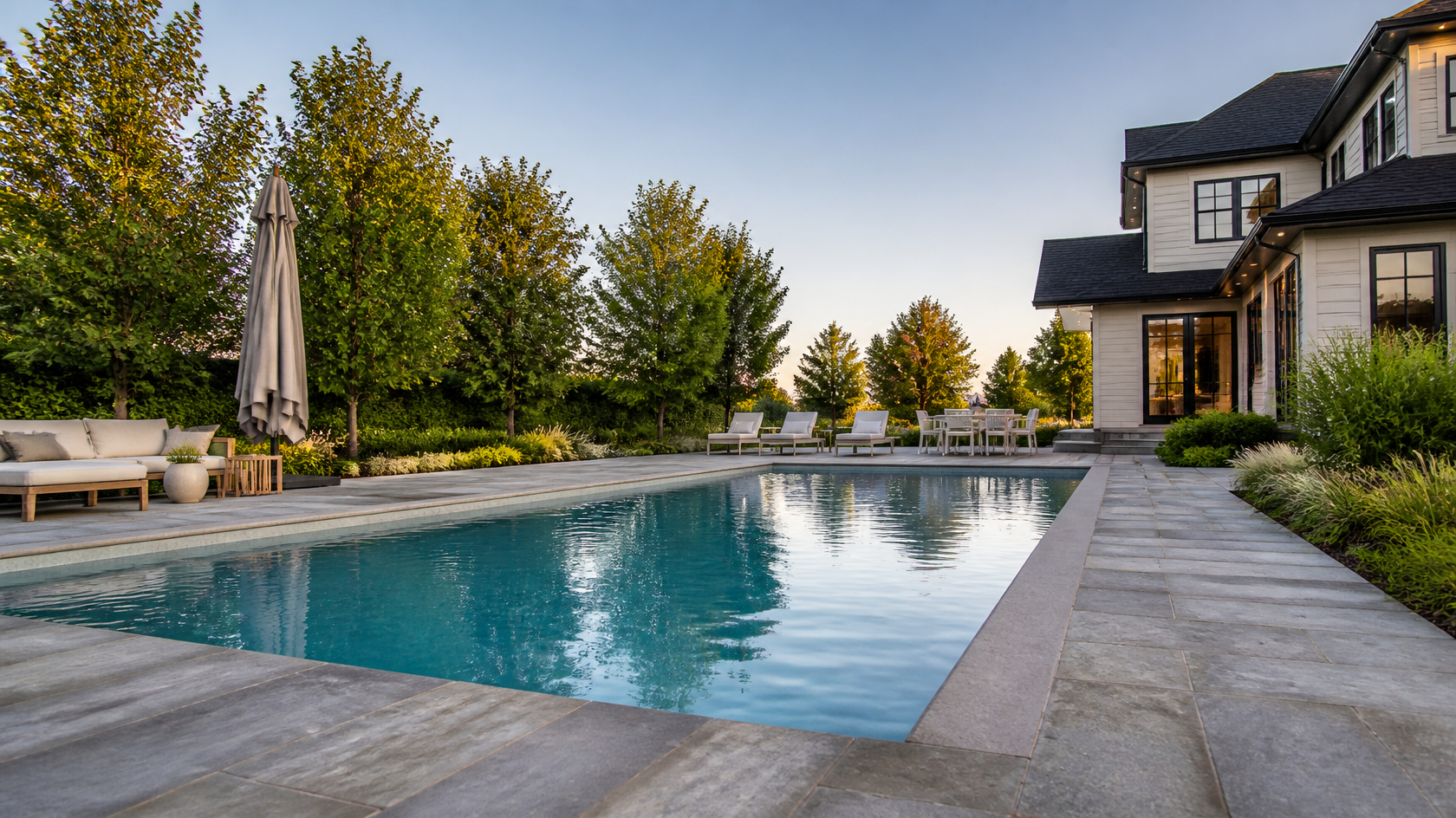
AI pool design tools let you upload one photo of your backyard and see a photorealistic swimming pool placed inside your actual space in under 60 seconds -- no CAD software, no drafting skills, and no contractor visit needed. Instead of imagining how a pool might look between your patio and the fence, you get a real image you can compare, tweak, and share before spending a dollar on excavation.
Tools like GenRoom work directly from your yard photo: you upload it, choose a style or pool type, and the AI generates a rendering that respects your existing house, lawn, and boundaries. This guide covers how AI pool design works, which pool shape fits your lot, where to place the pool, how to design the landscaping around it, and which free tools are worth trying. If you also want to plan the surrounding surface in depth, pair this with our guide to AI pool and deck design.
Here is what you will learn:
- How AI turns a backyard photo into a pool visualization
- Which pool shapes suit small, sloped, and irregular yards
- The placement rules (setbacks, sun, sight lines) AI lets you test for free
- A step-by-step workflow you can follow today
- The best free and paid AI pool design tools in 2026
What Is AI Pool Design?
AI pool design is the use of generative AI to visualize a swimming pool in a real backyard from a photograph. You upload an image of your yard, and the model renders a pool -- with a chosen shape, finish, and surrounding landscaping -- directly into that scene while keeping your house and property recognizable.
Unlike traditional pool software that asks you to build a 3D model from scratch, photo-based AI tools skip the modeling step entirely. The output is a photorealistic image, not an engineering blueprint, so its job is to help you decide what you want and communicate it clearly to a builder -- not to replace a licensed pool engineer's structural and safety plans.
AI pool design answers one question fast: "What would a pool actually look like in my yard?" It turns a vague idea into a shareable image in under a minute.
How Does AI Pool Design Work From a Photo?
The AI analyzes your photo for available space, perspective, existing structures, and lighting, then generates a pool that fits the scene. Most photo-based tools follow the same four steps.
- Upload a yard photo. A clear, eye-level or slightly elevated shot of the area where you want the pool works best.
- Describe or select the design. Choose a pool shape and style (modern, resort, tropical, natural) or type a short prompt like "rectangular pool with dark plaster and a stone deck."
- Generate. The AI renders one or more variations, placing the pool in your actual space with matching light and shadows -- usually in 15 to 60 seconds.
- Refine and share. Regenerate for alternatives, adjust details, then download or send the image to your contractor.
Because the render is based on your real photo, the proportions and placement are far more useful than generic stock pool inspiration. You are seeing your fence, your house, and your available square footage -- which is exactly what you need when deciding whether a pool even fits.

Which Pool Shape Fits Your Yard?
The right pool shape depends on your yard's size, geometry, and how you plan to use the water. AI makes it cheap to test several shapes in your actual space before committing. Here are the most common options and where each shines.
Rectangular and Geometric Pools
Clean, straight lines that suit modern and contemporary homes. Rectangular pools maximize swimming length, are the easiest to add automatic covers to, and fit naturally alongside straight property lines. They are the default choice for lap swimming and structured, symmetrical yards.
Freeform and Natural Pools
Curved, organic edges that mimic a natural pond or lagoon. Freeform pools soften a landscape, hide awkward yard angles, and pair well with rock features, waterfalls, and lush planting. They work when you want the pool to feel like part of the garden rather than a geometric statement.
Kidney and L-Shaped Pools
Kidney shapes tuck a curve around an existing tree or patio, while L-shaped pools separate a shallow lounging zone from a deeper swimming end. Both are useful for irregular lots where a straight rectangle would waste space or crowd the house.
Plunge and Lap Pools
Plunge pools are compact (often under 4 by 5 meters) for cooling off and relaxing -- ideal for small or urban yards. Lap pools are long and narrow for exercise, hugging a side yard or fence line where a wider pool would not fit.
Infinity and Vanishing-Edge Pools
Best on a slope or a lot with a view, where one edge appears to drop away. These are premium builds, but AI lets you preview whether your grade and sight lines can actually pull off the effect before you pay for the engineering.
| Pool shape | Best for | Typical yard |
|---|---|---|
| Rectangular | Lap swimming, modern homes, covers | Straight, symmetrical |
| Freeform | Garden-like feel, hiding odd angles | Irregular, natural |
| Kidney | Curving around a tree or patio | Mid-size, obstacles |
| L-shaped | Separate shallow + deep zones | Corner or wide lots |
| Plunge | Cooling off, relaxing | Small, urban |
| Lap | Exercise, narrow spaces | Long, side yards |
| Infinity | Views, resort look | Sloped |
Where Should the Pool Go? Placement Rules AI Helps You Test
Pool placement affects sun, privacy, safety, and cost more than shape does -- and AI lets you audition placements visually before a surveyor gets involved. Test these factors on your own photo.
Setbacks and Property Lines
Most municipalities require pools to sit a minimum distance from property lines, the house, and septic systems. AI won't replace a permit check, but visualizing the pool against your fence line quickly shows whether your idea leaves realistic room. Always confirm exact setbacks with your local building department before building.
Sun and Shade Orientation
A pool that sits in afternoon shade from the house will feel colder and get used less. Photograph your yard at the time of day you would swim, and use AI to place the pool where it catches the most sun. South-facing exposure (in the Northern Hemisphere) generally maximizes warmth.
Sight Lines and Privacy
You want the pool visible from the kitchen or living area for safety and enjoyment, but screened from neighbors. AI renders let you test how planting, fencing, or a privacy hedge changes the view from both inside the house and over the fence.
Slope, Drainage, and Access
Sloped yards raise costs (retaining walls, extra excavation) but enable vanishing-edge designs. Also plan for water runoff and equipment access. An overhead or elevated photo helps the AI place the pool sensibly relative to grade and the path from the house.

How Do You Design the Landscaping Around the Pool?
The landscaping around a pool determines whether it reads as a resort or a construction site -- and it is where AI pool design earns its keep. A pool is only as good as its surroundings, so plan the poolscape as one scene, not just the water.
- Softscape: Ornamental grasses, palms, or evergreens that frame the pool and add privacy without dropping heavy leaf litter into the water.
- Hardscape: Coping, decking, and pathways that connect the pool to the house. (For a deep dive on decking materials, see our pool and deck design guide.)
- Features: Waterfalls, fire bowls, built-in seating, and lighting that extend use into the evening.
- Screening: Hedges or slatted fences that block neighbors' views while keeping sight lines from the house.
Generate two or three versions with different planting densities and hardscape materials. Seeing the same pool with a lush tropical border versus a minimalist gravel-and-grass edge makes the trade-offs obvious. If you want to plan the wider yard first, our AI backyard design guide covers the full outdoor space.
Create facade design with AI
Upload a photo of your home and get a new facade in the chosen style in 30 seconds. First generation is free.
How to Design Your Pool With AI: Step-by-Step
You can go from a raw yard photo to a shareable pool concept in about ten minutes. Here is the workflow we recommend using GenRoom's pool design tool.
Step 1: Photograph the Space
Stand where you would look at the pool most often (usually the back door or patio). Shoot in even daylight, hold the camera steady at chest height, and capture the full area including some of the house and fence for context. Avoid harsh midday shadows.
Step 2: Upload and Choose a Style
Upload the photo to the pool design tool, then pick the pool mode or a style and click "Create design". Start broad -- "modern rectangular" or "natural freeform" -- before fine-tuning. GenRoom offers 60+ styles, so you can match the pool's look to your home's architecture.
Step 3: Generate Several Variations
Produce three or four options with different shapes and finishes. This is the cheapest form of "measure twice, cut once" -- swapping a rectangular pool for a freeform one costs a click here and tens of thousands of dollars on a real build.
Step 4: Refine With the AI Editor
Use plain-text instructions to adjust details -- "make the deck travertine," "add a hedge along the back fence," "warmer evening lighting" -- or brush over an area and describe the change. GenRoom's AI Editor (included in every plan, even Free) lets you iterate without regenerating from scratch.
Step 5: Export and Share With Your Builder
Download the final image at high resolution and send it to your pool contractor. A photorealistic reference of your yard removes ambiguity from the quote and helps the builder understand the look you are after -- far better than a link to someone else's pool.

Which Are the Best AI Pool Design Tools in 2026?
Several tools now work as a pool design generator that renders a swimming pool from a photo. They differ in whether they focus only on pools or on the whole yard, and in how much control and refinement they offer. Here is how the leading options compare.
| Tool | Photo-to-pool | Free tier | Refinement | Best for |
|---|---|---|---|---|
| GenRoom | Yes | 6 credits, no card | AI Editor (words + brush) | Pool + full yard, 60+ styles |
| Ideal House | Yes | Limited free | Preset options | Pool + landscape scenes |
| Pool Planner AI | Yes | Trial | Prompt-based | Pool-only focus |
| StarryAI | Yes | Credits | Prompt-based | Quick concept images |
| Beatbot | Yes | Free tool | Preset styles | Fast makeover ideas |
GenRoom stands out for covering the pool and the surrounding landscaping, facade, and interior in one tool, plus an AI Editor for fine-tuning with words or a brush. For a pool-only quick concept, dedicated tools like Pool Planner AI are also worth a look. Pricing and free tiers change often, so verify current terms on each tool's site before committing.
Is There a Free AI Pool Design Tool?
Yes -- several AI pool design tools offer a free tier, and GenRoom lets you start with 6 free credits (about 3 designs) without entering a credit card. That is enough to test a couple of pool shapes in your own yard before deciding whether to upgrade.
GenRoom's plans -- one-time credit packs, not a subscription -- verified in October 2026, are:
| Plan | Price | Credits | Key extras |
|---|---|---|---|
| Free | $0 | 6 credits | ~3 designs, no card, watermark |
| Start | $9.99 | 36 credits | ~18 designs, no watermark |
| Basic | $19.99 | 100 credits | ~50 designs, 4K included |
| Pro | $39.99 | 300 credits | 4K, 5 reference photos, private designs |
For serious planning you will want enough credits to iterate on materials and landscaping with words or a brush (editing is in every plan, even Free), and free 4K on Basic or Pro if you intend to print or present the design. But for a first "does a pool even fit?" test, the free tier is genuinely useful.
Can AI Design a Pool for a Small Backyard?
Yes -- AI is especially valuable for small yards, where every foot matters and a poorly sized pool can swallow the whole space. Upload your compact yard and test plunge pools, narrow lap pools, or corner placements to see what leaves room to move.
For tight urban lots, the winning combinations are usually a plunge pool paired with a slim deck and vertical planting, or a lap pool run along one boundary. AI lets you confirm that a walkway, a lounge chair, and a bit of greenery still fit around the water -- the details that decide whether a small pool feels luxurious or cramped. For more compact-yard strategies, see our small backyard ideas guide.
Frequently Asked Questions
Can AI design a pool for my specific backyard?
Yes. Photo-based tools like GenRoom render the pool into your actual yard photo, so the result reflects your real dimensions, house, and boundaries rather than a generic template. Use a clear, well-lit photo for the most accurate placement.
How accurate are AI pool visualizations?
They are highly accurate for look, style, and rough proportion, which is what you need for planning and communicating with a builder. They are not engineering documents, though -- exact depths, structural details, and permit-ready plans still come from a licensed pool professional.
What is the best free AI pool design tool?
Several tools have free tiers. GenRoom offers 6 free credits with no credit card, which covers a few generations -- enough to test different pool shapes in your yard before paying. Compare its output with dedicated pool tools to see which style you prefer.
How much does an AI pool design cost?
The AI visualization itself is inexpensive or free (GenRoom starts at $0 with 6 credits, with paid plans from $9.99). This is separate from the cost of actually building a pool, which varies widely by size, materials, and region -- confirm construction quotes with local contractors.
Do I still need a pool contractor after using AI?
Yes. AI helps you decide and communicate the design, but building a pool requires permits, engineering, excavation, and licensed installation. Bring your AI render to a contractor as a clear visual brief -- it makes the quoting process faster and more accurate.
Can AI show landscaping around the pool, not just the water?
Yes. Good AI pool tools render the full poolscape -- decking, planting, fencing, lighting, and water features -- so you see the pool in context. GenRoom generates the surrounding landscape as part of the scene and lets you adjust it with text instructions or a brush.
The Bottom Line
AI pool design has turned "I wonder if a pool would fit" into a 60-second, photo-based answer. Upload your yard, test shapes and placements, dial in the landscaping, and walk into your contractor meeting with a photorealistic image of exactly what you want -- all before breaking ground. Start free with GenRoom's pool design tool and see your backyard's potential today.
AI renders are visualizations for planning, not construction blueprints. Always confirm setbacks, permits, and structural details with local authorities and a licensed pool professional. For pool safety guidelines, see the U.S. Consumer Product Safety Commission.