AI Empty Room to Furnished: The Pre-Listing Staging Guide (2026)

AI empty-room-to-furnished staging is a pre-listing workflow where a seller uploads photographs of a vacant home, generates photorealistic furnished versions in five to ten seconds per image, picks the best variant for each room, and publishes those images to the MLS with a "Virtually Staged" disclosure. Done correctly, it shortens listing prep from two to four weeks of physical staging down to a single afternoon, and the data is unambiguous: the 2025 NAR Profile of Home Staging found that 83% of buyers' agents say staging helps buyers envision the property as their future home, 29% of agents reported staged homes received offers 1-10% higher than unstaged comparables, and 49% of sellers' agents observed staging reduced time on market.
This guide is written for the side of the transaction that usually gets short-changed by virtual-staging content: the seller getting a home ready to list, and the agent helping them do it. We will walk through why empty rooms underperform in 2026 search portals, the exact one-photo-to-five-variants AI workflow we use at GenRoom, how to compare costs against physical staging line by line, which rooms to prioritize when budget is finite, how to collaborate with your agent so the staged photos match the property's reality, the seven specific mistakes that kill listings, and how California's AB 723 disclosure law (effective January 1, 2026) reshapes what you can legally publish.
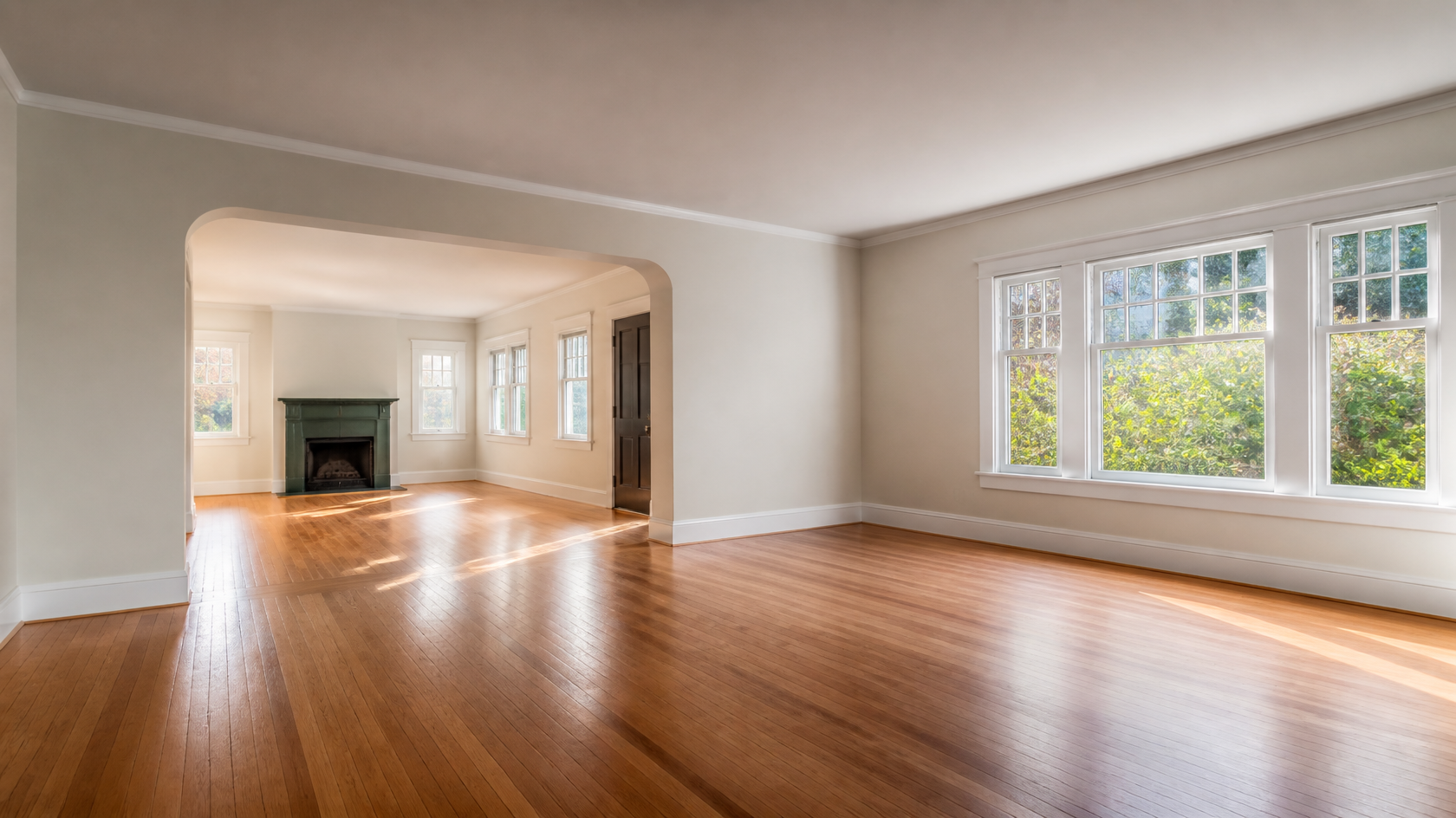
A vacant room photographed for a listing β what most buyers will scroll past in under a second. AI staging fixes this without moving a single piece of furniture.
Why Empty Rooms Underperform on Listing Portals
Empty rooms lose buyers in the thumbnail. According to the NAR 2025 Profile of Home Buyers and Sellers, 97% of buyers start their search online and most form a first impression in under three seconds β well before they read the description. An empty room photographed for the MLS has no scale reference, no emotional anchor, and no visual story. A buyer scrolling through 40 listings on Zillow or Realtor.com cannot tell whether your 14-by-16 living room is generous or cramped, so they move on to the listing where the photo already shows the answer.
The data on first-impression psychology
Three numbers shape the pre-listing decision:
- Thumbnail click-through: virtually staged listings see thumbnail CTR of 3.5-4.5% versus 1.8-2.2% for vacant listings, roughly a 90% lift in attention (industry data across 2025-2026).
- Time on market: staged homes spend an average of 29-31 days on market versus 52 days for unstaged comparables, a reduction tracked across multiple Redfin and HomeJab studies.
- Final sale price: 19% of NAR-surveyed listing agents reported offers 1-5% above un-staged comparables, with another 10% reporting 6-10% increases.
For a $400,000 listing those numbers translate to $4,000-$40,000 in additional offer value for a $25-$150 investment in AI staging. That is the headline ROI nobody bothers to put on the calculator: AI staging frequently delivers 100x to 1,000x return on the dollar spent on the staging step itself.
Why "just sell it empty" sounds cheaper than it is
Listing a vacant home looks like savings on paper. In practice the empty listing costs you in three quiet ways: longer days-on-market means more mortgage and utility carry, the price drops you negotiate after week three of no offers eat 1-3% of your sale price, and the buyers who do tour are forced to "imagine" β which is the single most-cited reason agents see lowball offers on empty homes. The 2025 NAR report puts a final number on the choice: when buyers cannot envision a space, 83% of their agents told NAR that envisioning gap directly hurts the offer.
The AI Workflow: One Photo, Five Variants, Pick the Best
The pre-listing AI staging workflow we recommend at GenRoom is deliberately boring on purpose. Predictable steps produce listing-grade photos every time. Here is the full process for an empty home from arrival to MLS upload.
Step 1 β Photograph the empty rooms correctly
This step is non-negotiable. The quality of your AI staging is bounded by the quality of your source photo. Every staging tool, including GenRoom, will preserve the architecture, lighting, and proportions of whatever you upload β garbage in, garbage out applies absolutely.
What "correct" looks like:
- Wide-angle lens, 16-24mm equivalent, shot from corner toward opposite corner to capture maximum floor area.
- Tripod at chest height (around 50-55 inches off the floor), camera level β no tilt, no Dutch angle.
- Natural light during golden hour or overcast midday, all interior lights on for warmth, all blinds fully open, all toilets closed (yes, this matters).
- One frame per room, plus a second wider frame from the doorway as a fallback. You want the same room visible in two compositions in case the AI struggles with one perspective.
- Resolution: at least 12 megapixels, JPEG quality 90+, white-balanced to daylight (around 5,500K).
If you cannot do this yourself, a real estate photographer costs $150-$300 for a typical 3-bedroom home and the images become a long-term asset.
Step 2 β Upload and generate five style variants per room
Open GenRoom, upload your empty room photo, and run five generations per room β each in a different style suited to your market. The five we recommend for a typical mid-market US listing:
- Modern transitional β beige sofa, walnut coffee table, brass accents. The safe default for most suburbs.
- Scandinavian minimalist β light oak, boucle textures, single fiddle-leaf fig. Reads "fresh and updated" for younger buyers.
- Contemporary coastal β soft whites, blue-gray accents, woven natural fibers. Sells well in coastal and warm markets.
- Modern farmhouse β shiplap accents avoided (it can look fake when AI adds it), but warm wood, ivory linen, simple metal lighting.
- Warm minimalist β neutral palette, low-saturation art, lots of negative space. Universal appeal, photographs cleanly on small mobile screens.
Each variant takes 5-15 seconds. You will end up with 25-30 staged images for a typical 5-6 room listing β pick the five strongest. Do not publish all five styles for the same room; pick one per room and keep them coherent (no Scandinavian living room next to mid-century bedroom).
Step 3 β Compare against your unstaged source
Before publishing, lay each staged photo next to its empty source on screen. Check for five things:
- Furniture proportional to the room? No oversized sectionals in 10x12 spaces.
- Architecture preserved? Same windows, same doorways, same number of outlets. The AI must not have invented a fireplace or added a window.
- Lighting consistent? If your source photo shows afternoon shadows from the left, the staged photo should too. Inconsistency reads as "fake" on a 4K monitor.
- Floor and wall finishes unchanged? A common AI error is "upgrading" worn hardwood to polished new β this is the kind of alteration California's AB 723 specifically calls out as undisclosed material change.
- No artifacts? Look at corners, doorways, and reflections. Hands of phantom buyers in mirrors, melted furniture legs, three-legged chairs β all common, all easy to spot once you know to look.
If any check fails, regenerate. You are paying pennies per attempt.
Step 4 β Pick one variant per room and finalize
This is the discipline step. Sellers often want to publish "the best one of each style" because each looks good in isolation β but a buyer scrolling your listing will read the mixed-style result as confused or even bait-and-switch. Pick a single style and commit. If you cannot decide, publish two listings to your agent as draft sets and ask which one their last three buyers would have clicked.
A single AI staging variant of an empty living room. Pick one style and apply it consistently across all rooms in the listing.
Step 5 β Label every image and publish per disclosure rules
Every virtually staged image must carry a "Virtually Staged" tag in the listing description and ideally on the image caption itself. In California after January 1, 2026, this is a legal requirement under AB 723 β failing to disclose is a misdemeanor. Outside California, NAR Code of Ethics Article 12 still binds every Realtor to honest advertising, and almost every regional MLS has its own staging disclosure rule. We cover the legal piece in full further down.
AI vs Physical Staging: The Pre-Listing Cost Comparison
If you are choosing between AI staging and physical staging before listing, the math is brutally simple for any home priced under $1.5M. Here is the full line-item comparison for a typical 5-room listing:
| Cost line | Physical staging | AI virtual staging |
|---|---|---|
| Initial consultation | $300-$700 | Free (DIY) or included |
| Furniture delivery / setup | $500-$1,200 | Not applicable |
| Monthly furniture rental (5 rooms) | $2,500-$5,000/mo | Not applicable |
| Removal at close | $300-$600 | Not applicable |
| Damage / loss deposit | $500-$2,000 (refundable) | Not applicable |
| AI staging per image | Not applicable | $0-$30 per image |
| Total for 1-month listing | $4,100-$9,500 | $0-$150 |
| Total for 3-month listing (avg) | $9,100-$19,500 | $0-$150 |
The cost gap is approximately 60x to 130x in favor of AI for the same five-room listing. The 2026 industry consensus across multiple cost comparison studies puts AI staging at $1-$30 per image versus $500-$1,500 per room for physical, with AI delivering equivalent or higher thumbnail click-through on listing portals.
When physical staging still makes sense
There are three scenarios where physical staging is worth its cost:
- Luxury properties above $1.5M where buyers tour in person multiple times and the empty-room experience matters as much as the photos.
- Listings where the seller is still living in the home and the existing furniture is dated or unrelatable. AI cannot stage occupied homes well β you still see the seller's belongings. Physical staging replaces them.
- New construction model homes where the developer wants buyers to walk through a fully realized lifestyle. Even here, AI staging is often used for the photography while a single model unit gets the physical treatment.
For everything else β vacant suburban homes, condos under $1M, rental conversions, flips, divorce sales, estate sales β AI staging is the dominant choice in 2026.
What about traditional virtual staging (human-edited)?
Traditional virtual staging done by human editors in Photoshop or 3D software costs $30-$100 per image with 24-48 hour turnaround. AI staging is 60-1000x cheaper per image and 99% faster. The quality gap that used to favor human editors has closed for most rooms in 2025-2026. Where humans still beat AI: complex perspective corrections, very dark or backlit source photos, and creative compositions that require artistic judgment. For a standard MLS listing photo, AI matches or exceeds human-edited output in 2026.
Room-by-Room: Where to Spend Your Effort
The 2025 NAR Profile of Home Staging gives a clean ranking of which rooms move buyers most. Spend your staging effort on the top three first, then expand if you have time and budget:
1. Living room β 37% of buyers say most important (NAR 2025)
The living room is the first image after the exterior on most MLS listings and the single biggest driver of "I want to tour" decisions. Stage it warmly, but not aspirationally β a buyer needs to imagine their family on the sofa, not a designer's family. Three rules:
- One large sofa anchoring the room, oriented so the camera sees the seat depth.
- A coffee table with two or three styled objects max β a stack of books, a small plant, a single decorative bowl.
- A single piece of large-scale wall art behind the sofa, in muted tones. Avoid statement art that signals strong personal taste.
2. Primary (master) bedroom β 34% of buyers say most important (NAR 2025)
The primary bedroom comes second. Buyers want to see that the bed fits without crowding, that there is space on both sides for nightstands, and that the closet is referenced (even if just by an open door framing the staged space). Three rules:
- Queen or king bed centered on the longest wall, with crisp white linens and two pillows per side.
- Matching nightstands and lamps β symmetry photographs better than asymmetry in small bedrooms.
- No bedroom desks, exercise equipment, or "bonus function" props β let the room read as a bedroom only.
A primary bedroom AI-staged for a listing. Symmetry, low-contrast palette, and a single focal artwork are the three reliable choices.
3. Kitchen β 23% of buyers say most important (NAR 2025)
Kitchens usually don't need furnishing, but they need styling. Most empty kitchens read as "construction site" without small touches. Stage with:
- A wooden cutting board, ceramic vase with stems, and small bowl of fruit on the island or counter.
- A single coffee mug or open cookbook near the cooktop for warmth.
- Bar stools at the island if it has overhang, in matching wood or upholstery to the rest of the home.
4. Dining room (or dining area) β 69% commonly staged (seller-side data)
The dining room is the highest-impact mid-tier room. Empty dining rooms read as the most disposable space in the home; staged ones unlock the "we could host Thanksgiving here" emotion that closes deals. A six-seat table with simple pendant lighting and a styled centerpiece is enough.
Dining rooms move buyers more than the staging industry usually credits. Even modest pre-listing styling unlocks lifestyle thinking.
5. Home office β increasingly required since 2020
A small empty room often reads as "spare bedroom" or "office" depending on staging. Default to office for any room under 100 square feet β the post-2020 buyer pool prizes home-office capability and a staged desk-and-chair photo signals "you can work from home here." A simple desk against the longest wall, an upholstered office chair, one floor lamp, and a single shelf with three books and one plant is enough.
A small empty room before AI staging. Default to "home office" for any spare room under 100 square feet β post-2020 buyers prize WFH capability.
6. Bathrooms β skip the staging, focus on the photo
Bathrooms are the one room where you should not virtually stage. Buyers know what a toilet looks like; they want to see the actual finishes, fixture quality, and condition. Clean and shoot the actual bathroom, then have your AI staging tool do only minor enhancements (a fresh white towel on the rack, a small plant on the vanity if appropriate) β never AI-add furniture or fixtures that don't exist.
7. Bonus rooms (basement, garage, attic) β stage selectively
If your home has a finished basement, stage it as a single defined function: media room, second living area, or playroom. Avoid the "multi-purpose flex space" staging trap β buyers respond to defined rooms, not "possibilities."
Working With Your Real Estate Agent on AI Staging
The pre-listing AI staging decision usually goes through your agent first, and how you frame it matters. Agents fall into three camps in 2026: enthusiastic adopters, cautious skeptics, and outright opponents. Knowing where yours sits saves you a fight.
The enthusiastic adopter
If your agent already uses AI staging for vacant listings, your job is to align on style and disclosure. Show them three or four candidate variants per room and ask which ones match the comparable listings selling fastest in your zip code. Their local market knowledge beats your aesthetic preference 9 times out of 10.
The cautious skeptic
If your agent is hesitant, the unlock is usually data, not aesthetics. Send them the NAR 2025 staging stats and the specific ROI numbers for your price point ($4,000-$40,000 additional value on a $400,000 listing for $25-$150 input). Ask them to run a side-by-side test with two photos posted to their personal social media β the engagement difference will convince most skeptics within a week.
The outright opponent
A small minority of agents refuse AI staging on principle, usually citing "authenticity" concerns. The data does not support them in 2026, but the relationship matters. The compromise: stage only the two highest-priority rooms (living and primary bedroom) and leave the rest empty. You get most of the click-through benefit and your agent gets to feel comfortable defending the listing.
Splitting the cost question
Most agents will absorb AI staging cost as part of their marketing β at $25-$150 per listing it is a rounding error against their commission on a $400,000 sale. If your agent asks you to pay, that is a yellow flag worth a conversation. Physical staging at $4,000+ is reasonable to negotiate; AI staging at under $200 is usually agent-paid.
Seven Common Mistakes That Sink Listings (And How to Avoid Them)
The mistakes below come from analyzing what gets virtual staging listings flagged on MLS boards, what generates buyer complaints, and what produces the dreaded "looks fake" comment in showings. All are avoidable.
Mistake 1 β Over-staging the room
The single most common error. AI tools default to filling space because empty space looks "wrong" to the model. You then publish a 12x14 living room with a sectional, two armchairs, a coffee table, two side tables, a console, three floor lamps, and four plants β and the room photographs as cramped instead of generous. Rule: if your finger covers more than 60% of the floor in the staged photo, regenerate with less furniture.
Mistake 2 β Mismatched style for the home or market
A turn-of-century Victorian staged with mid-century modern furniture reads as a renovation gut, not a thoughtful update. A 1990s tract suburban staged with high-design Scandinavian reads as aspirational fiction. Rule: match the staging style to the home's bones and the buyer pool in your zip code. Your agent's last three sold listings are the reference set.
Mistake 3 β Furniture obviously oversized for the space
The fastest credibility-killer. A 1,200-square-foot starter home staged with furniture sized for a 4,000-square-foot luxury build screams "fake." Rule: the AI should generate furniture proportional to the room. If the staged sofa looks longer than the wall behind it, regenerate.
Mistake 4 β Altering architecture or finishes
This is the legal landmine. Adding a fireplace that does not exist, replacing worn carpet with new hardwood, removing electrical outlets, brightening dim rooms beyond what the actual lighting allows β all of these are now illegal in California under AB 723 and unethical under NAR Article 12 everywhere else. Rule: the AI may only add furniture and soft goods. Walls, floors, ceilings, windows, fixtures, and outlets must remain identical to the source photo.
Mistake 5 β Generic, stock-photo-feeling staging
If your staged living room looks like every other AI-staged living room on Zillow this month, you have lost the differentiation that staging was supposed to create. Rule: ask the AI to vary the art, the throw pillow colors, the rug texture. Small specifics make the photo feel like a real home, not a render.
Mistake 6 β No unstaged version available
Most MLS boards now require that the unedited source photo be available somewhere in the listing (either following the staged image directly or via a "see actual photo" link). Rule: always upload the empty source photo as well, ideally immediately after the staged version. This builds trust and satisfies disclosure requirements simultaneously.
Mistake 7 β Missing or inadequate disclosure
The disclosure must be on the image itself or in the caption directly adjacent. "Virtually Staged" hidden in the listing description at the bottom of the page does not satisfy AB 723, most MLS rules, or NAR ethics. Rule: every staged image carries a visible "Virtually Staged" label and a link or proximate placement to the unstaged version.
Create interior design with AI
Upload a photo of your room and get a professional design in 30 seconds. First generation is free.

Legal Disclosure: AB 723, MLS Rules, and NAR Ethics
The legal landscape for virtual staging tightened dramatically on January 1, 2026 when California's Assembly Bill 723 took effect. Even if you are not in California, the law signals where the rest of the country is heading and most regional MLSs are now aligning rules to similar standards.
California AB 723 (effective January 1, 2026)
The law covers anyone advertising real estate in California β agents, brokers, sellers, and anyone acting on their behalf. The core requirement: any digitally altered image of property must carry a conspicuous disclosure that it has been altered, and the unaltered original must be made available to buyers.
What counts as "altered" under AB 723:
- Virtual staging (adding furniture)
- Object removal (deleting clutter, vehicles, debris)
- Sky replacement (swapping cloudy days for clear blue)
- AI enhancements (brightening, color grading beyond normal correction)
- Digital renderings (new construction "what it will look like" images)
What does not count:
- Standard white balance and exposure correction
- Cropping and basic straightening
- HDR processing within reasonable bounds
Penalties: listing removal, MLS fines $500-$5,000, complaints to the state real estate board, license suspension, and in California, criminal misdemeanor charges for repeated or egregious non-disclosure.
MLS rules nationwide (2026)
Almost every regional MLS now has a staging disclosure rule. The most common requirements:
- Tag staged images with "Virtually Staged" in the caption or on-image
- Provide an unstaged version of the same room in the listing
- Do not alter architecture, finishes, or fixed property features
- Disclose AI enhancement in the listing description
Specific MLSs vary on penalty severity. The strictest (SDMLS in San Diego, Bright MLS in the mid-Atlantic, MRED in Chicago) treat repeated non-disclosure as grounds for MLS suspension.
NAR Code of Ethics Article 12
Article 12 binds every Realtor to "be honest and truthful in their real estate communications." NAR has clarified across multiple advisory bulletins in 2024-2025 that this includes virtual staging β undisclosed staging is an ethics violation independent of any local MLS or state law. Penalties at the NAR level run to license suspension and removal from local Realtor boards.
Practical compliance checklist
For every virtually staged listing in 2026, ensure:
- β Each staged image has "Virtually Staged" in the caption or on the image
- β The unstaged source photo is published in the same listing
- β Architecture, finishes, fixtures, outlets, and windows are identical between staged and source
- β The listing description explicitly mentions virtual staging is used
- β You have kept the unedited source files for at least 12 months (in case of dispute)
A 60-second compliance check at upload time prevents 100% of the disclosure complaints that hit MLS boards in 2025.
Pre-Listing Staging by Property Type
The optimal AI staging approach varies by what you are selling. Here are the four most common pre-listing scenarios and how to handle each.
Vacant single-family suburban home
The bread-and-butter use case. Stage all five priority rooms (living, primary bedroom, kitchen, dining, one secondary bedroom or office) in a single consistent style chosen for your local market. Budget $25-$50 in AI staging cost; expect $4,000-$30,000 in offer-value lift for a $300,000-$600,000 listing.
Empty condo or starter home under 1,500 sq ft
Scale matters more here. Pick a style that emphasizes space (warm minimalist, Scandinavian, contemporary coastal) and stage only three rooms (living, bedroom, kitchen if photographed without dining). Smaller homes are most often killed by over-staging β fewer pieces per room is the rule.
Estate sale or vacant inheritance
These properties often have outdated source-room conditions: dated wallpaper, worn carpet, old fixtures. Do not have the AI "fix" these β that's an AB 723 violation. Instead, stage only rooms where the finishes are neutral and current, and leave the dated rooms unstaged with a "ready for your touches" note in the description.
New construction or flip ready to list
The most flexible case. Source photos are usually freshly photographed clean rooms; AI staging adds lifestyle warmth instantly. Stage every room you photograph and pair each with an unstaged "spec finish" version that highlights craftsmanship β buyers in this segment want to see both the lifestyle promise and the build quality.
Style Choice: Matching AI Staging to Buyer Pools
Different markets favor different staging aesthetics. The wrong style choice signals "this seller doesn't get the neighborhood" β a subtle but persistent drag on offers.
Coastal and warm markets (Florida, California, Carolinas)
Coastal-modern or warm contemporary. Soft whites, blue-gray accents, woven natural fibers, light woods. Buyers in these markets read heavy darks and northern European minimalism as cold.
Northeast and Midwest urban
Warm transitional or contemporary classic. Beige and gray sofas, walnut woods, brass and matte black accents, ivory linens. The Northeast also tolerates more traditional staging (Persian rugs, framed art in clusters) than other markets.
Mountain West and Pacific Northwest
Modern rustic or warm minimalist. Live-edge woods, cream wools, low-saturation art, single plants. Buyers in these markets respond to organic materials and earth tones.
Suburban tract markets nationally
Modern transitional β the safe default. Neutral palette, recognizable furniture forms, no statement pieces. Stages the home without alienating any single buyer demographic.
Scandinavian minimalism reads as "fresh and updated" to younger buyers in most metro markets.
Modern transitional is the safe default for most suburban listings β warm but not aspirational.
The Pre-Listing AI Staging Timeline
A typical seller can move from "decision to list" to "MLS-ready photos" in 2-4 days with AI staging. The breakdown:
| Day | Task | Time |
|---|---|---|
| Day 1 morning | Clean and prep rooms for photography | 3-4 hours |
| Day 1 afternoon | Photograph all rooms (DIY or hire $150-$300 photographer) | 2-3 hours |
| Day 2 | Upload to GenRoom, generate 5 variants per room | 1-2 hours |
| Day 3 | Review variants, pick one per room, regenerate edge cases | 1 hour |
| Day 4 | Final review, add disclosures, send to agent for MLS upload | 30 min |
Compare to physical staging: 1-2 days consultation, 1 week stager schedules delivery, 1-3 days install, 1-3 months rental period, 1 day removal. The AI workflow saves the seller 4-8 weeks on listing prep alone β which is the actual carrying-cost difference that justifies adoption for most listings.
Frequently Asked Questions
Is AI virtual staging legal for pre-listing use?
Yes β provided you disclose it on each staged image and provide the unstaged original. In California, AB 723 makes disclosure a legal requirement as of January 1, 2026, with misdemeanor penalties for repeated non-disclosure. Outside California, MLS rules and NAR Code of Ethics Article 12 still require honest disclosure. The staging itself is legal everywhere in the US.
How much does AI staging cost per listing?
For a typical 5-room listing in 2026, AI staging costs $0-$150 total, compared to $4,000-$9,500 for one month of physical staging. Per-image AI cost ranges from $0 (free tiers) to $30 (premium tools with unlimited revisions). GenRoom sits in the $1-$5 per image range with unlimited revisions on paid plans.
Will buyers be disappointed when they tour the empty home?
Only if you over-stage. If the AI staging accurately reflects the room's true dimensions, finishes, and natural light, buyers transition smoothly from photo to in-person. The disappointment usually comes from staging that adds windows, fireplaces, or finishes that do not exist β which is now both illegal in California and unethical everywhere. Honest staging closes the gap; dishonest staging creates it.
Should I stage every room or only the priority three?
For most listings under $1M, stage the three NAR-priority rooms first (living, primary bedroom, kitchen) and add dining and one office or secondary bedroom if budget and time allow. For luxury listings above $1.5M, consider stagings all rooms or supplementing with physical staging. Bathrooms should generally not be virtually staged at all β clean the actual room and shoot it.
Can I use AI staging if the home is occupied?
AI staging works poorly with occupied homes β the seller's existing furniture, art, and personal items remain visible and the AI cannot cleanly remove them. For occupied homes, either (a) physically declutter and then AI-stage rooms with minimal remaining furniture, or (b) use traditional human-edited virtual staging which can selectively remove items. Most sellers find it easier to physically declutter first.
What if my agent won't allow AI staging?
Most agent resistance comes from outdated authenticity concerns. Share the NAR 2025 staging data (83% of buyers' agents say staging helps buyers envision the home) and the specific ROI numbers for your price point. If your agent still refuses, consider staging only the top two rooms as a compromise β or finding an agent better suited to the 2026 market. The data side is settled; staged listings sell faster and for more.
How do I handle staging disclosure on social media and Zillow?
Every public-facing platform where the staged image appears must carry the disclosure. On Zillow and Realtor.com, add "Virtually Staged" to the image caption directly. On Instagram or Facebook listing posts, add the disclosure to the first line of the caption. On agent websites, place a small "Virtually Staged" badge on the image itself. In California after January 1, 2026, missing this disclosure is a misdemeanor β treat the requirement as universal even if your state has not yet legislated it.
Can AI staging make a small room look bigger?
It can make a small room look better-furnished and more aspirational, but it cannot legally make it look physically larger. Adding furniture proportional to the actual room (not oversized to "fill" it) and choosing light colors and minimal pieces will give the strongest "feels larger" effect honestly. Any attempt to AI-edit the room's actual dimensions (extending walls, faking depth) is now an explicit AB 723 violation.
What about staging the exterior and curb appeal?
AI staging works for some exterior elements (adding outdoor furniture to a deck or patio, suggesting landscape vignettes) but should not be used to alter the home's actual exterior condition (no AI-painted siding, no faked roof replacement, no removed mature trees). For exterior, focus most effort on real-world curb appeal β the 2025 NAR report ranks curb appeal as the third-most-recommended pre-listing improvement after decluttering and deep cleaning.
Where can I try AI staging for free?
GenRoom offers free credits for new users to test the empty-room-to-furnished workflow on your own property photos. Upload one room, try three style variants, and compare against the unstaged source before deciding whether to scale to your full listing.
The Bottom Line
The pre-listing decision in 2026 is not "AI staging or no staging" β it is "which AI staging workflow, in which style, for which buyer pool, with which disclosure." The technology has matured; the ROI math is clear (60-130x cheaper than physical staging for equivalent or better listing performance); the legal framework is finally explicit thanks to AB 723; and the only remaining question is whether you execute the workflow cleanly. The sellers and agents who treat pre-listing AI staging as a five-step process (photograph correctly, generate five variants, pick one, label honestly, publish with disclosure) consistently see the 1-10% offer-value lift the NAR data predicts. The ones who treat it as a magic button get burned by AB 723 complaints, MLS flags, and skeptical buyers in showings.
Start with the three NAR-priority rooms, pick one style for the whole home, and publish honestly. The investment is under $150, the upside is measured in tens of thousands of dollars on the offer, and the workflow takes a single afternoon. Try the full pre-listing staging workflow on your own empty room at GenRoom β upload, pick a style, and see the furnished version in under a minute.